> ## Documentation Index
> Fetch the complete documentation index at: https://docs.corvic.ai/llms.txt
> Use this file to discover all available pages before exploring further.
# Exploration & Workflows
> Work with your data through a single chat — the agent decides how to help.
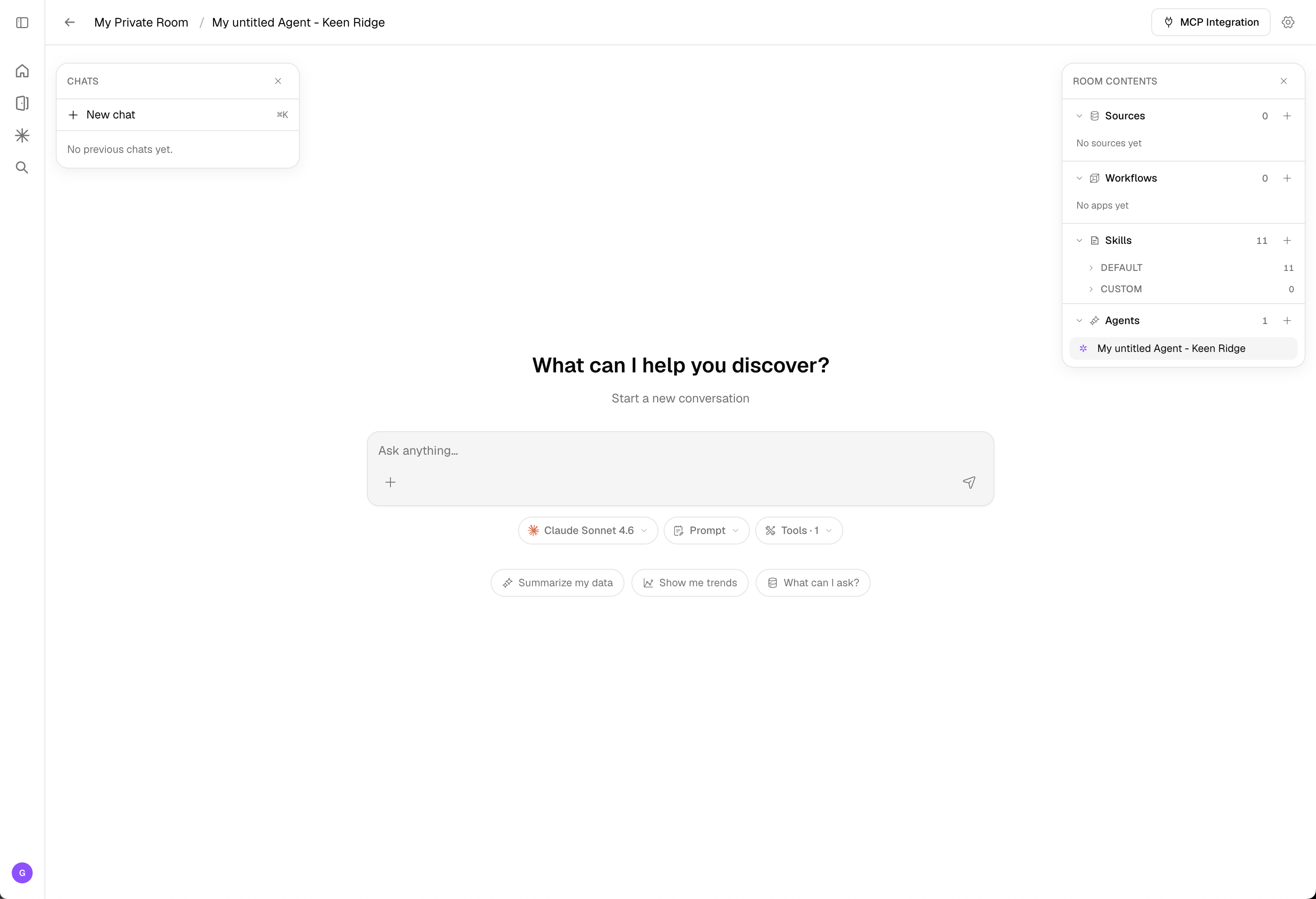
The room experience puts a single chat at the center of your workspace. Instead of navigating between separate pages for sources, pipelines, and agents — or choosing a "mode" yourself — you just describe what you want. The agent looks at your connected data and figures out how to help, automatically.
 ## How the agent helps
There's no mode toggle to manage. Based on your request and the data in the room, the agent works in one of two ways:
The agent automatically inspects your connected data and helps you explore and analyze it — answering questions, surfacing patterns, and generating insights and artifacts grounded in your data.
When the agent recognizes a common, repeatable pattern, it builds a persistent workflow for it. Recurring operations are amortized so you don't reprocess the same steps each time — saving both processing time and token cost.
You don't pick exploration vs. workflows — the agent decides. Exploration is ideal for open-ended analysis; workflows make the operations you repeat efficient and durable.
## Adding data
Add data without leaving the room:
* Use the **add data source** menu in the chat to upload files or connect a [data source](/features/data-sources).
* **Drag and drop** files directly onto the page — they're uploaded into the room.
## Room contents
The **Room contents** panel lists everything in your room, organized into four types. You can create as many of each as you need.
## How the agent helps
There's no mode toggle to manage. Based on your request and the data in the room, the agent works in one of two ways:
The agent automatically inspects your connected data and helps you explore and analyze it — answering questions, surfacing patterns, and generating insights and artifacts grounded in your data.
When the agent recognizes a common, repeatable pattern, it builds a persistent workflow for it. Recurring operations are amortized so you don't reprocess the same steps each time — saving both processing time and token cost.
You don't pick exploration vs. workflows — the agent decides. Exploration is ideal for open-ended analysis; workflows make the operations you repeat efficient and durable.
## Adding data
Add data without leaving the room:
* Use the **add data source** menu in the chat to upload files or connect a [data source](/features/data-sources).
* **Drag and drop** files directly onto the page — they're uploaded into the room.
## Room contents
The **Room contents** panel lists everything in your room, organized into four types. You can create as many of each as you need.
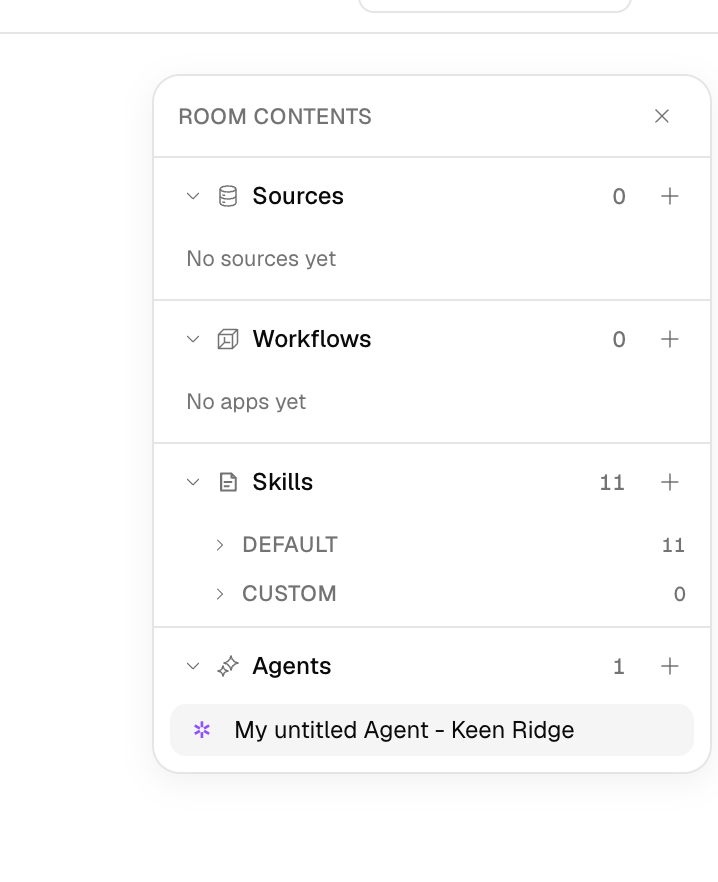 The data you bring into the room — uploaded files, connected storage buckets and databases, and live web sources. Everything the agent reasons over starts here. See [Data Sources](/features/data-sources).
Saved, repeatable pipelines that process and transform your data. The agent builds these for you when it spots a recurring pattern, or you can open and edit them on the [Workflow](/features/workflows) canvas.
Reusable capabilities that extend what your agents can do, grouped into **Default** skills (provided with every room) and **Custom** skills you add or promote from a conversation.
The assistants that explore your data and run workflows. A room can hold multiple agents, each with its own configuration. See [Agents](/features/agents).
## Model & tools
Right below the chat input you control how the agent responds:
The data you bring into the room — uploaded files, connected storage buckets and databases, and live web sources. Everything the agent reasons over starts here. See [Data Sources](/features/data-sources).
Saved, repeatable pipelines that process and transform your data. The agent builds these for you when it spots a recurring pattern, or you can open and edit them on the [Workflow](/features/workflows) canvas.
Reusable capabilities that extend what your agents can do, grouped into **Default** skills (provided with every room) and **Custom** skills you add or promote from a conversation.
The assistants that explore your data and run workflows. A room can hold multiple agents, each with its own configuration. See [Agents](/features/agents).
## Model & tools
Right below the chat input you control how the agent responds:
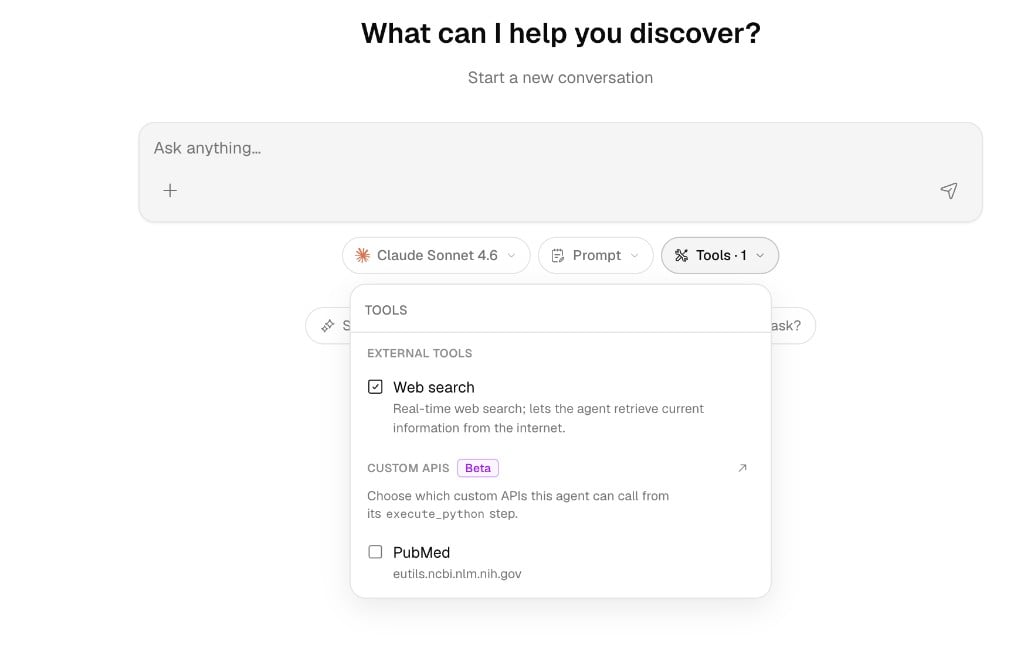 * **Model** — Choose the completion model that powers the agent's responses (for example, Claude Sonnet 4.6). If your organization has custom [LLM endpoints](/features/admin-console#llm-integrations) configured, they appear here too.
* **Prompt** — Adjust the instructions that frame how the agent behaves for the conversation.
* **Tools** — Toggle the capabilities the agent can use:
* **External Tools** — built-in tools like **Web search**, which lets the agent retrieve current information from the internet in real time.
* **Custom APIs** *(Beta)* — choose which connected APIs the agent can call from its `execute_python` step (for example, PubMed). Connect new ones in the [API Secret Vault](/features/api-secret-vault).
## The docked canvas
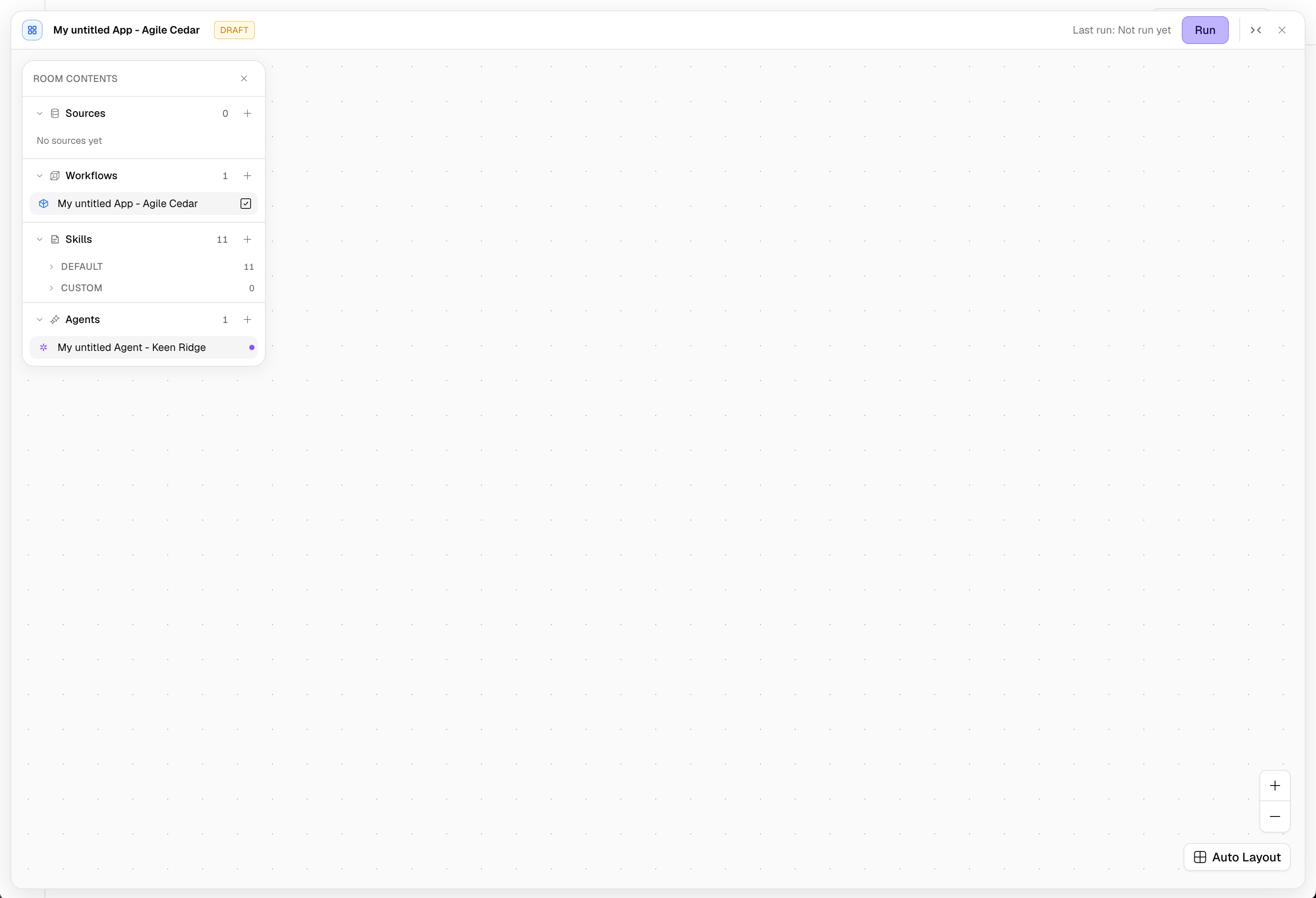
When the agent builds a workflow — or you open one — the [Workflow](/features/workflows) canvas **docks inside the room** rather than opening a separate page. This keeps your conversation, room contents, and the workflow side by side.
* **Model** — Choose the completion model that powers the agent's responses (for example, Claude Sonnet 4.6). If your organization has custom [LLM endpoints](/features/admin-console#llm-integrations) configured, they appear here too.
* **Prompt** — Adjust the instructions that frame how the agent behaves for the conversation.
* **Tools** — Toggle the capabilities the agent can use:
* **External Tools** — built-in tools like **Web search**, which lets the agent retrieve current information from the internet in real time.
* **Custom APIs** *(Beta)* — choose which connected APIs the agent can call from its `execute_python` step (for example, PubMed). Connect new ones in the [API Secret Vault](/features/api-secret-vault).
## The docked canvas
When the agent builds a workflow — or you open one — the [Workflow](/features/workflows) canvas **docks inside the room** rather than opening a separate page. This keeps your conversation, room contents, and the workflow side by side.
 ## Launch a Playbook
Beyond open-ended chat, you can run a **[Playbook](/features/playbooks)** — a reusable, multi-stage plan the agent executes for you. Open the **Playbooks** menu in the composer (or the gallery), fill in a few light inputs, and watch the stages run live. Playbooks are ideal for the recurring, multi-step work your team does every week: diligence reports, financial reconciliations, competitive research, and data preparation.
## Shared chats
Any chat thread can be shared as a read-only public link, and the artifacts a thread produces can be shared individually. See [Sharing](/features/sharing).
## Related Documentation
Run reusable, multi-stage plans from room chat.
Start the room experience from a pre-built template.
How agents reason over your data and tools.
The workflows the agent builds on the canvas.
Share chat threads and artifacts.
## Launch a Playbook
Beyond open-ended chat, you can run a **[Playbook](/features/playbooks)** — a reusable, multi-stage plan the agent executes for you. Open the **Playbooks** menu in the composer (or the gallery), fill in a few light inputs, and watch the stages run live. Playbooks are ideal for the recurring, multi-step work your team does every week: diligence reports, financial reconciliations, competitive research, and data preparation.
## Shared chats
Any chat thread can be shared as a read-only public link, and the artifacts a thread produces can be shared individually. See [Sharing](/features/sharing).
## Related Documentation
Run reusable, multi-stage plans from room chat.
Start the room experience from a pre-built template.
How agents reason over your data and tools.
The workflows the agent builds on the canvas.
Share chat threads and artifacts.