> ## Documentation Index
> Fetch the complete documentation index at: https://docs.corvic.ai/llms.txt
> Use this file to discover all available pages before exploring further.
# Sharing & Collaboration
> Share read-only chat threads and individual artifacts with anyone via secure links.
Corvic makes it easy to share the results of your work without giving people access to your room. You can publish a **read-only chat thread** so others can follow the conversation and the agent's reasoning, and you can share **individual artifacts** the agent produced — reports, spreadsheets, slides, and more.
## Share a chat thread
Each conversation with an agent is a **thread**. You can create multiple threads per agent, rename them, and delete them. Any thread can be published as a public, read-only link.
Threads are addressable by URL (`?chat=…`), so you can return to any conversation.
Use the share action on the thread to generate a public link. Anyone with the link can view the conversation read-only.
Revoke the share link at any time to immediately disable public access.
### What viewers see
The public thread viewer is fully read-only and includes:
* The full message history, with the agent's **reasoning** steps
* **Citations** linking back to the underlying data
* Any **artifacts** generated in the thread, with previews
Shared threads are read-only snapshots of a conversation. Viewers cannot send messages, see other threads, or access the room's data sources.
## Share an artifact
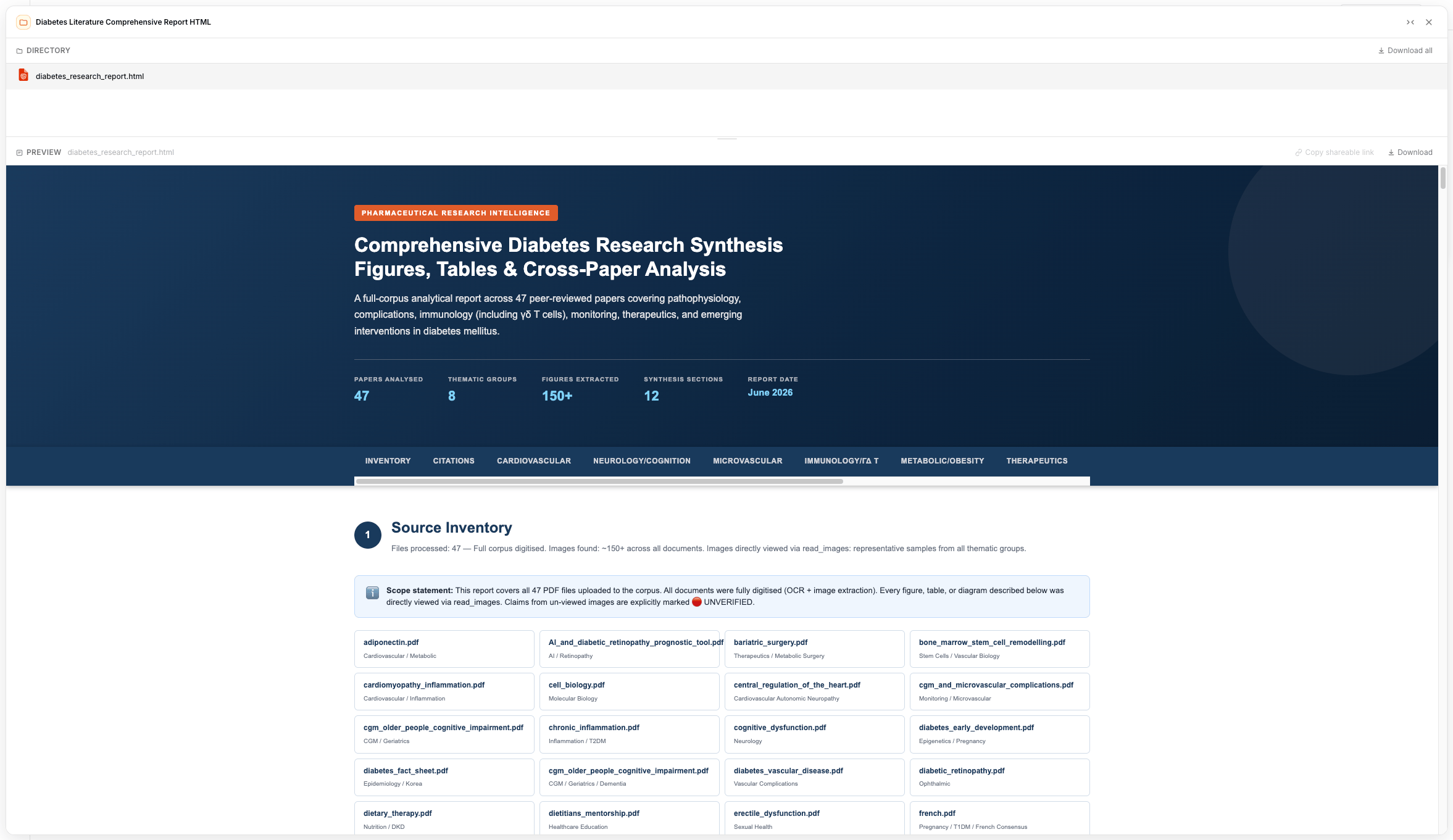
Artifacts are the files an agent generates during a conversation — HTML reports, Markdown, images, PDFs, Excel workbooks, PowerPoint decks, CSVs, and SVGs. They're collected in the thread's **Artifacts** panel.
You can share an individual artifact via its own link, or download artifacts (including as a zip) for use elsewhere.
 | Artifact type | Examples |
| ------------- | -------------------------- |
| Documents | PDF, Markdown, HTML |
| Spreadsheets | Excel, CSV |
| Presentations | PowerPoint |
| Images | PNG, SVG, and other images |
## Deploying an agent publicly
To give a wider audience an interactive (not read-only) experience, **deploy** the agent as a branded public app with its own URL, welcome message, and starter questions. See [Agents](/features/agents) and the [Deployment overview](/deployment/overview).
## Related Documentation
Chat, threads, artifacts, and explainability.
The room experience where threads live.
Publish agents as branded public apps.
Connect agents to external applications.
| Artifact type | Examples |
| ------------- | -------------------------- |
| Documents | PDF, Markdown, HTML |
| Spreadsheets | Excel, CSV |
| Presentations | PowerPoint |
| Images | PNG, SVG, and other images |
## Deploying an agent publicly
To give a wider audience an interactive (not read-only) experience, **deploy** the agent as a branded public app with its own URL, welcome message, and starter questions. See [Agents](/features/agents) and the [Deployment overview](/deployment/overview).
## Related Documentation
Chat, threads, artifacts, and explainability.
The room experience where threads live.
Publish agents as branded public apps.
Connect agents to external applications.