

How it works
1
Connect a service
Pick a service from the catalog, sign in with OAuth, point Corvic at an MCP server, or add a bucket or database. Anything reachable over HTTPS can also be added as a custom connector.
2
Corvic stores the credential
The key, token, or password is stored encrypted in the vault. Only the connector’s name, host, and settings are shown afterwards, never the secret.
3
Your agents use it by name
When code in a run calls the connector’s host, Corvic’s proxy injects the credential into the right header or query parameter. MCP tools, buckets, and databases work the same way: the credential stays in the vault.
Find your way around the vault
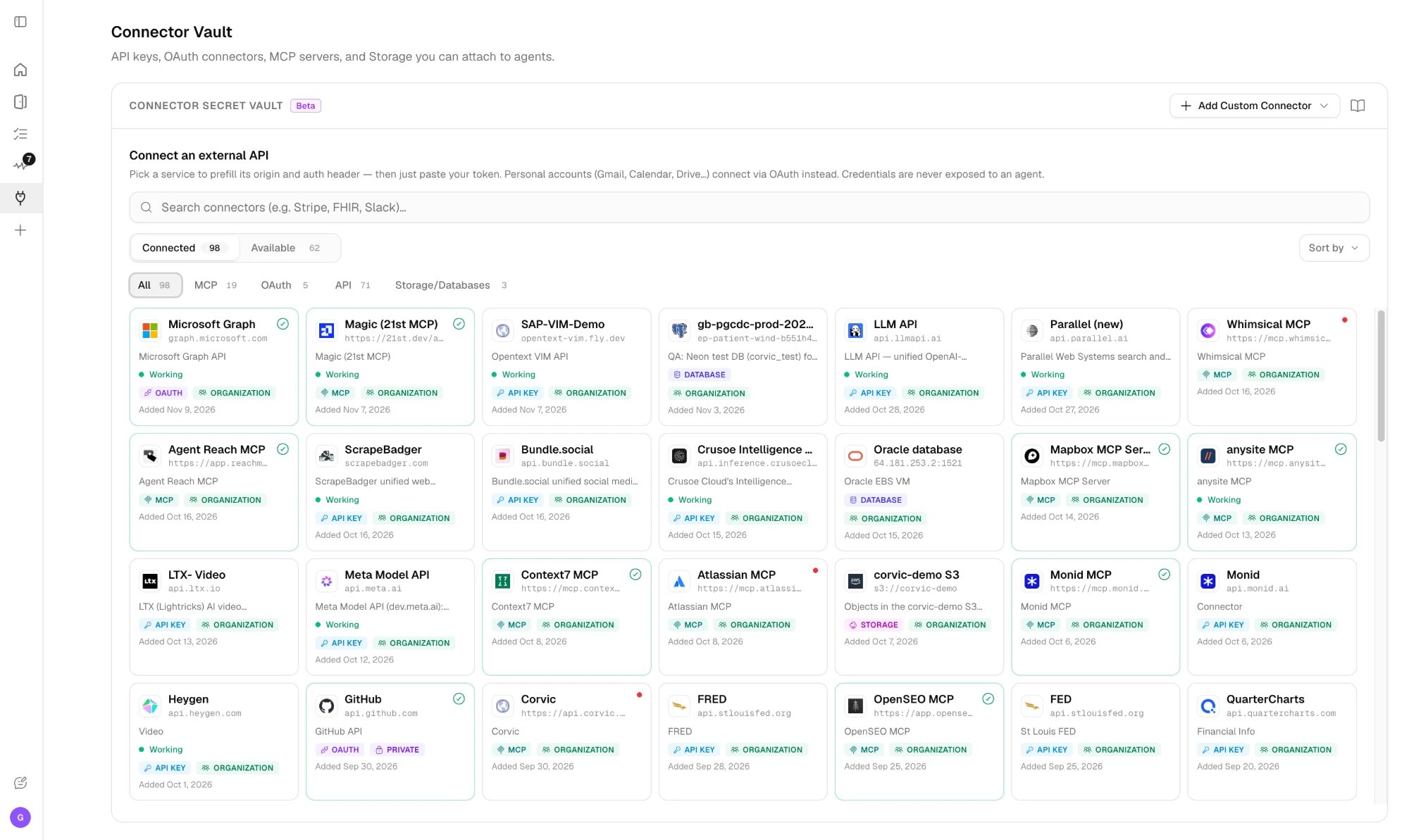
Each connected card shows the connector’s status. OAuth and MCP connectors also show whether they are connected, need you to finish signing in, or need reconnect after a sign-in expired.
Kinds of connectors
API keys
Bearer tokens, API keys, basic authentication, or query-parameter keys for any HTTPS API.
OAuth
Sign in to a service; Corvic keeps the access token fresh.
MCP servers
Remote MCP servers whose tools your agents can call.
Cloud storage
Amazon S3, S3-compatible stores, Google Cloud Storage, and Azure Storage.
Databases
PostgreSQL, Redshift, MySQL, SQL Server, Trino, Snowflake, BigQuery, Databricks, and Oracle.
Change data capture
Keep a live copy of Postgres and Oracle tables in Corvic.
Connector catalog
The catalog has one-click presets for dozens of services, grouped by category. A preset fills in the host and the authentication header, so connecting is just “pick a service and paste your token.” Presets carry only the shape of the request, never a real secret.Personal accounts
Gmail, Google Drive, Microsoft 365, Slack, GitHub, and more
Sales & CRM
Salesforce, HubSpot, Pipedrive, Crunchbase, Apollo.io
Finance
Stripe, QuickBooks, Polygon.io, Finnhub, SerpApi
Healthcare
PubMed, Epic on FHIR, Oracle Health, Health Gorilla, Medplum
Databases & Data
Databases, warehouses, buckets, HuggingFace, Kaggle
Communication
Slack, Twilio, SendGrid
Productivity
Notion, Airtable, Linear, Jira, Google Sheets
Developer
GitHub, GitLab, OpenAI, Anthropic, Apify, Firecrawl
Marketing
Mailchimp, Klaviyo, Google Analytics, DataForSEO
Reaching private networks
Connectors normally reach services over the public internet. If a service only accepts known IP addresses, use Dedicated IP. If a database lives in your own cloud network, reach it over Corvic Private Networking.Related Documentation
Using connectors
Give agents, workflows, apps, and playbooks access to a connector.
Access and security
Visibility, testing, policies, and what a connector can reach.