

Create Data Apps
Get started by clicking on “Create Data App” button. Give it a name and description that would best describe your workflow.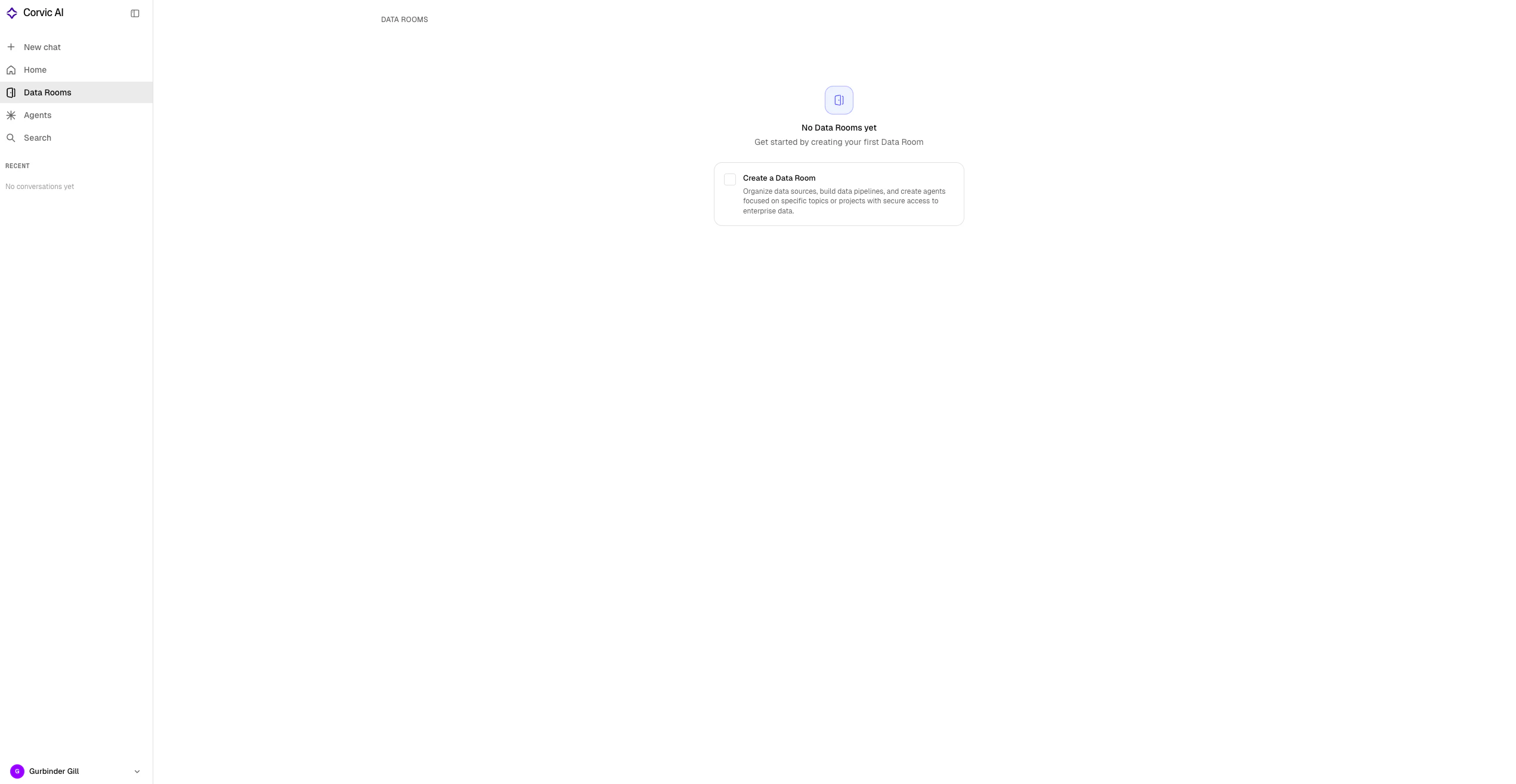
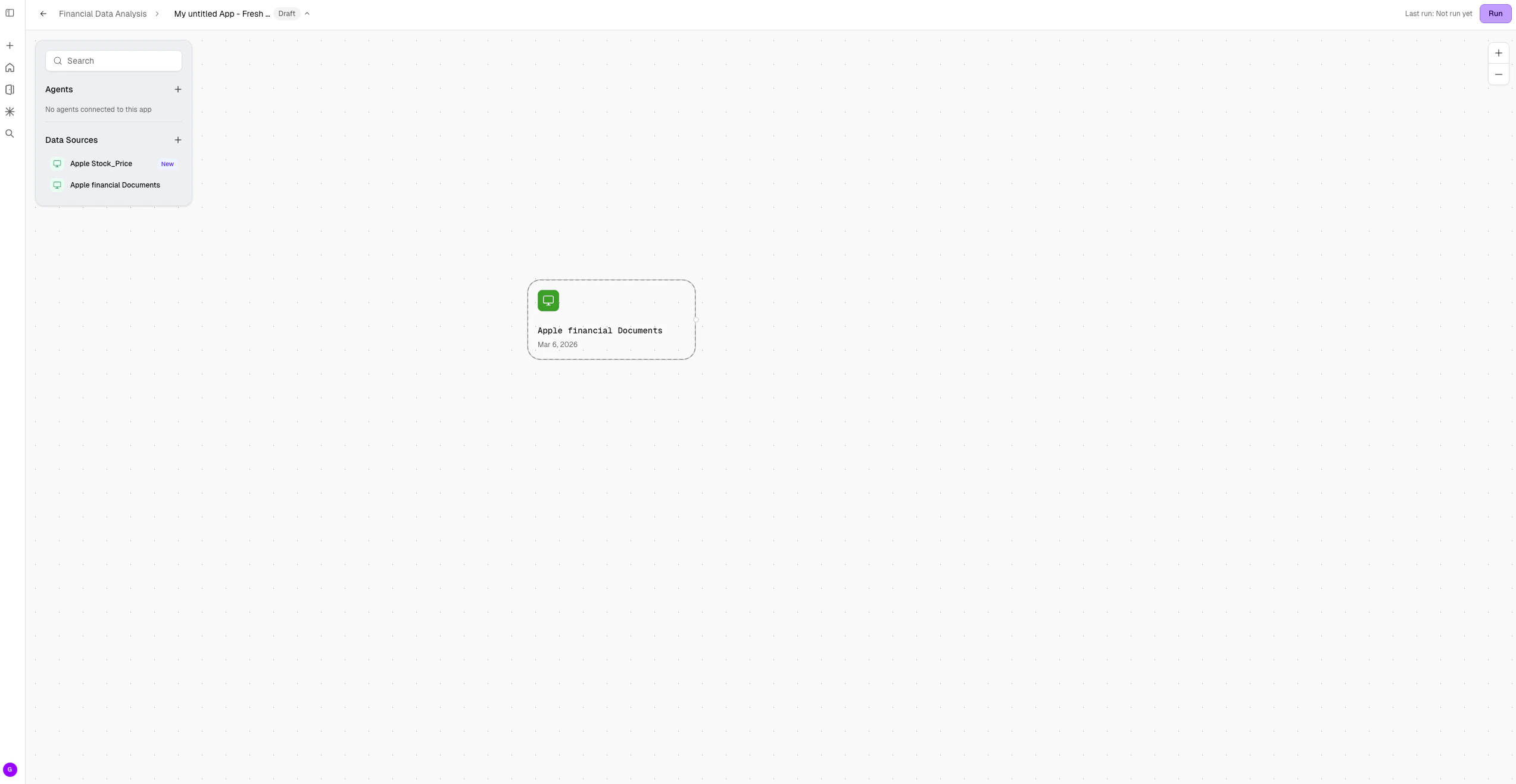
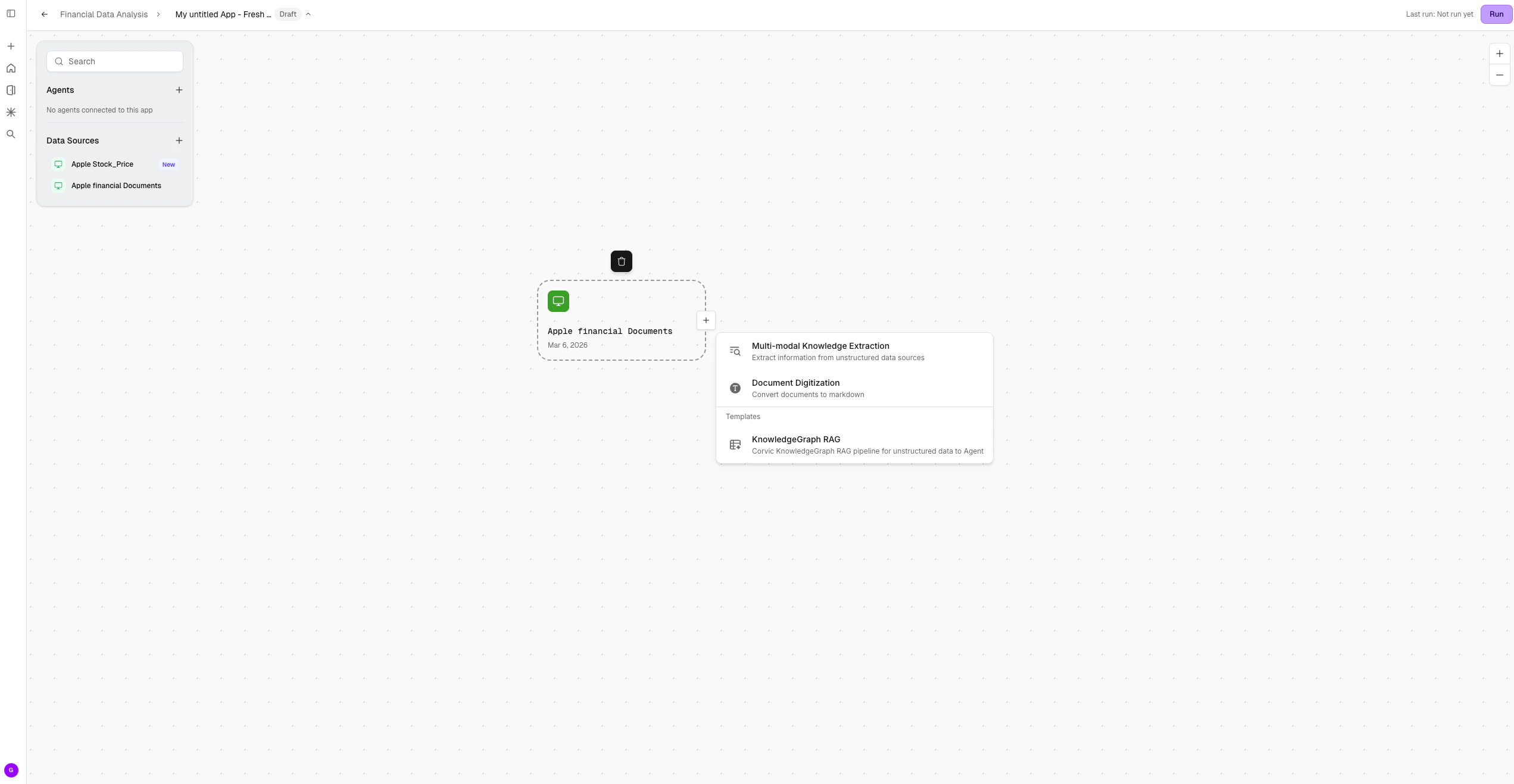
Actions
Actions are user-defined operations that run on data sources to extract meaningful information into tables. They can also be used to generate embeddings. Most action outputs take the form of tables (tabular data), which can then be saved as assets—either Corvic Tables or Spaces.We are showing a few example features here. For all available features, visit the Features tab.
Multi-modal Knowledge Extraction
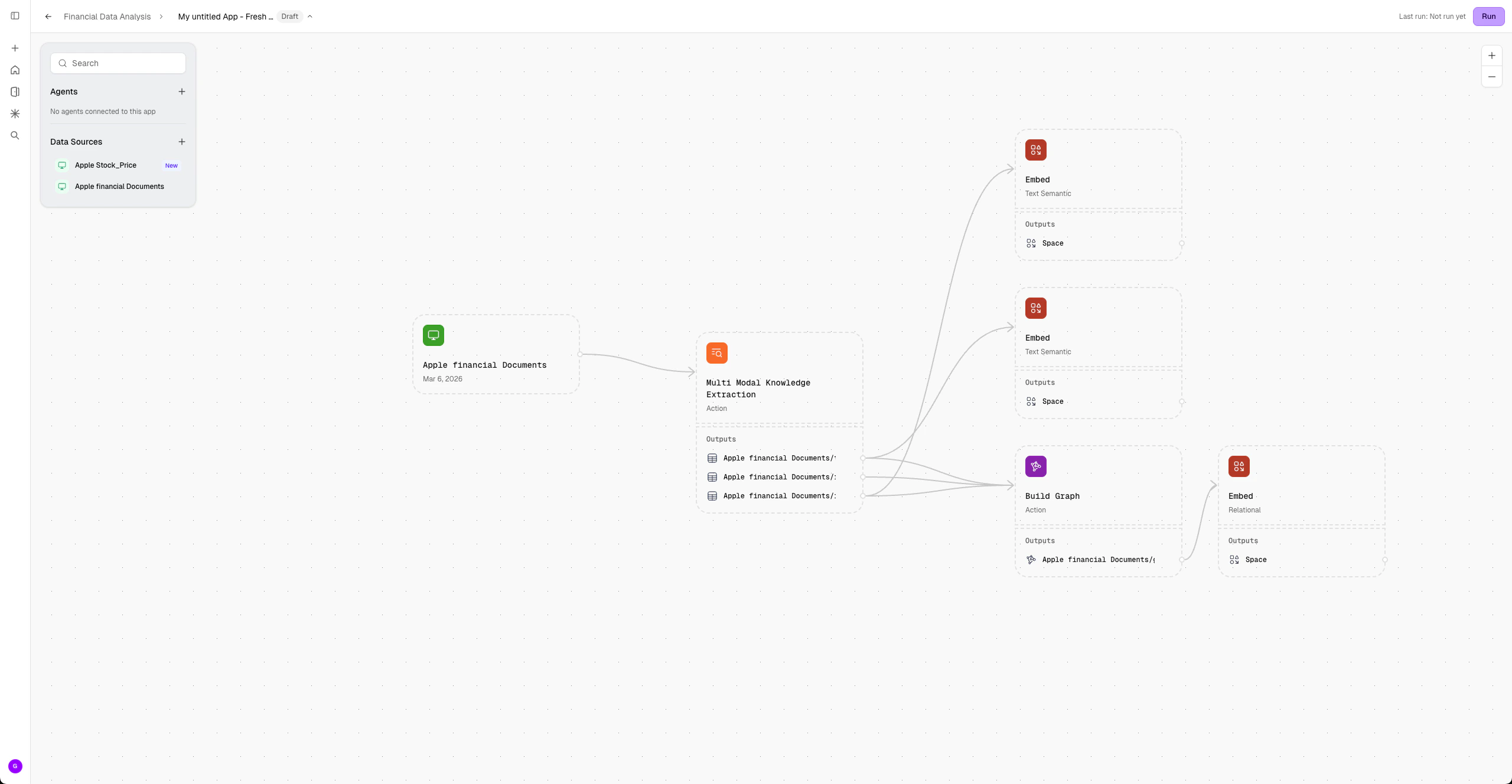
Use this action to analyze unstructured data and automatically generate three tabular outputs containing textual, structural, and image-related information from data sources. This action can only be applied to “Unstructured Type” data sources. Learn more about Multi-modal Knowledge Extraction.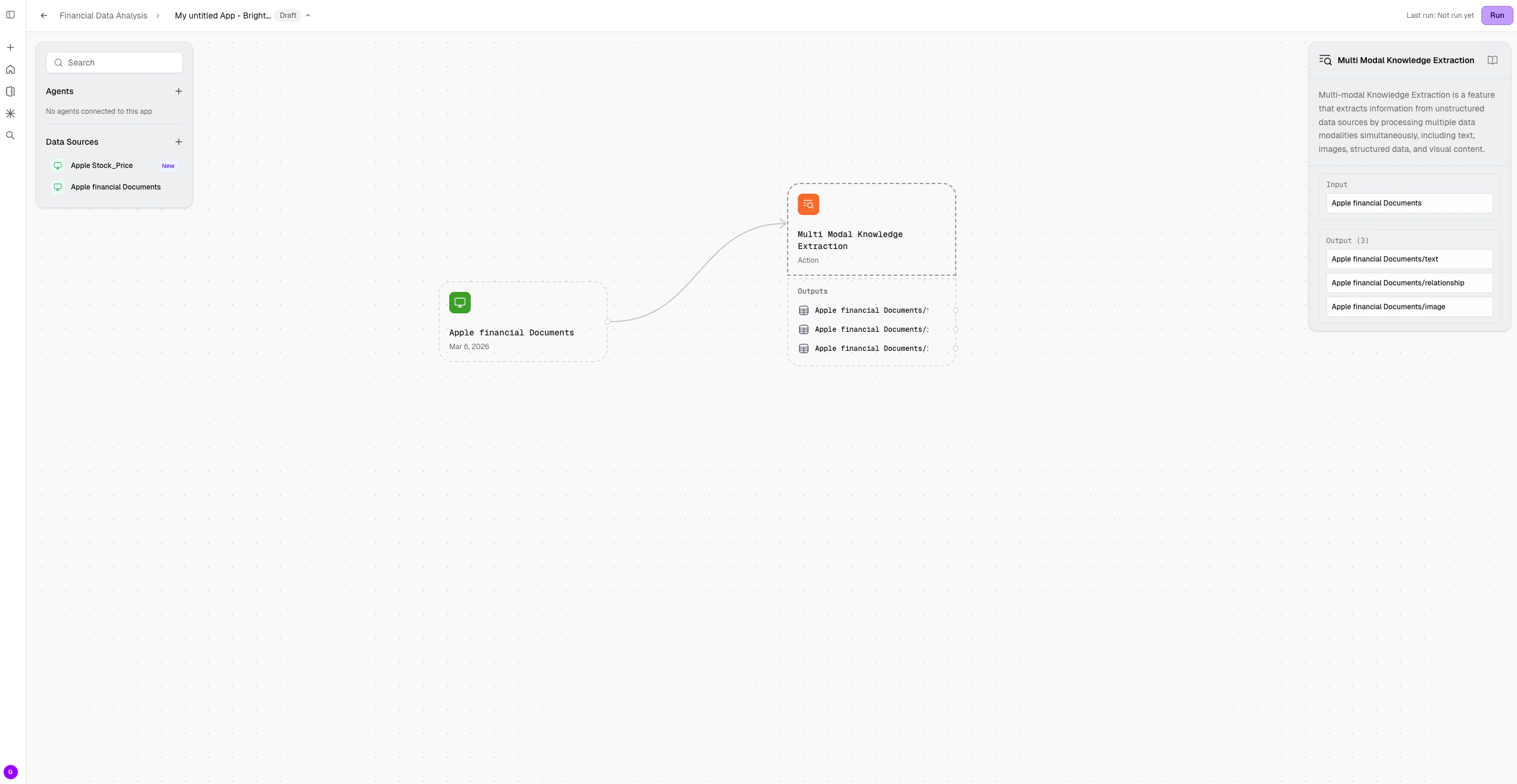
Extract Tables
Use this action to analyze structured data and automatically generate tabular outputs for each distinct schema found in the source. This action can only be applied to “Structured Type” data sources. After applying the action, click Run in the Data App canvas to view the results. Learn more about Extract Tables.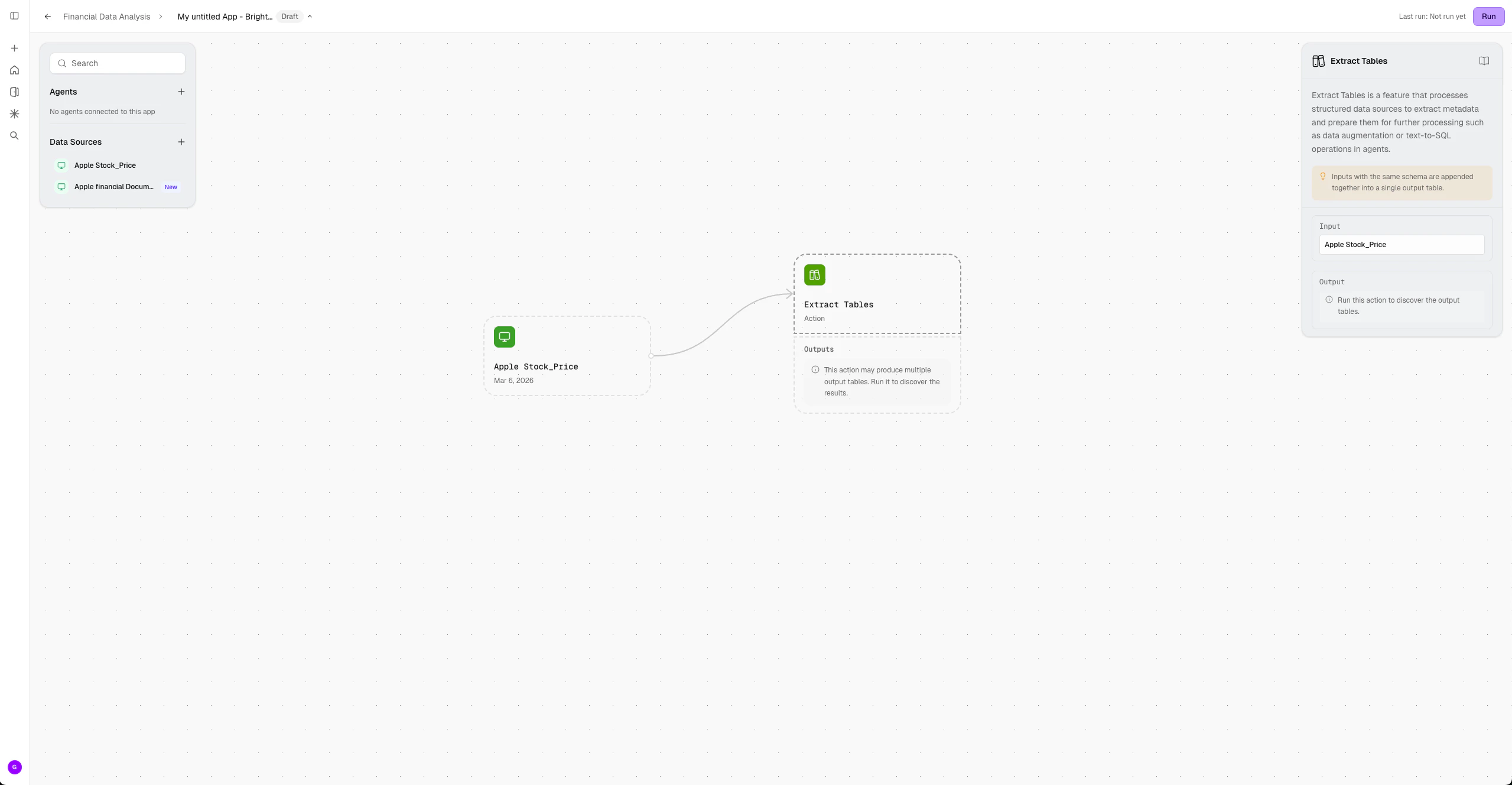
Graph Builder
The Graph Builder action allows users to construct relational graphs from multiple Corvic Table (CT) assets. It can only be applied to Corvic Tables and supports selecting two or more CT inputs at a time. Users can modify the schemas of the selected inputs and dynamically visualize how the graph forms based on the relationships between their tables. At least one input CT must contain a foreign key relationship to another selected CT in order to use this action. The Graph Builder is typically a prerequisite for the Relational Embedding in the Embed action. Learn more about Graph Builder.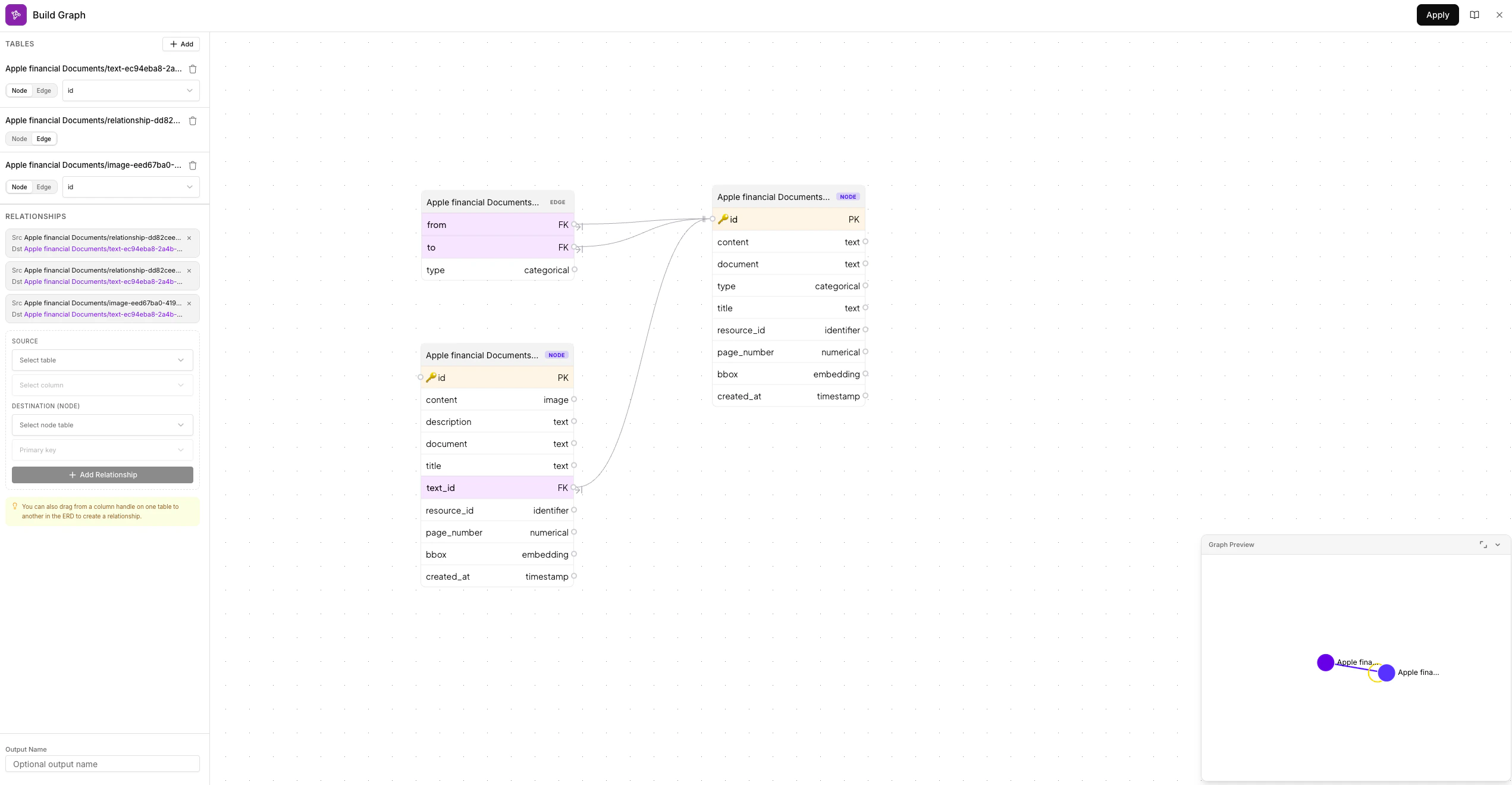
Embed
The Embed action is used to generate embeddings from data and can only be applied to Corvic Table (CT) assets. It supports creating embeddings of various types, including Semantic, Relational, Image, and Tabular. The input for this action is a Corvic Table asset, and the output is a Space asset, which can then be used for downstream analysis or powering agent responses. Learn more about Embed.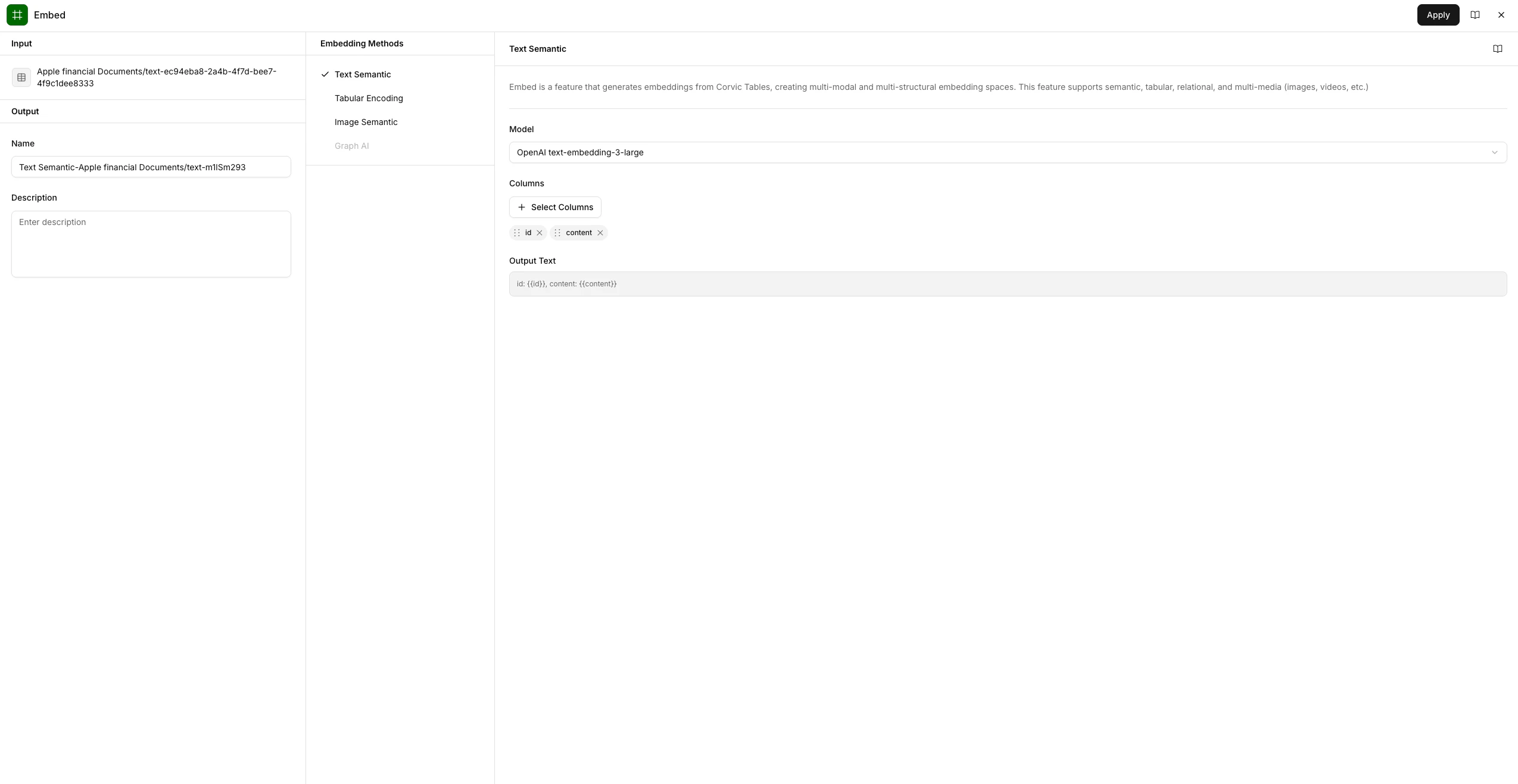
Create Agent
The Create Agent action is used to build an agent powered by space embeddings from your data sources. This action can only be applied to Space assets. Provide a descriptive name for your agent that reflects its functionality, and select a completion model to get started. Learn more about Create Agent.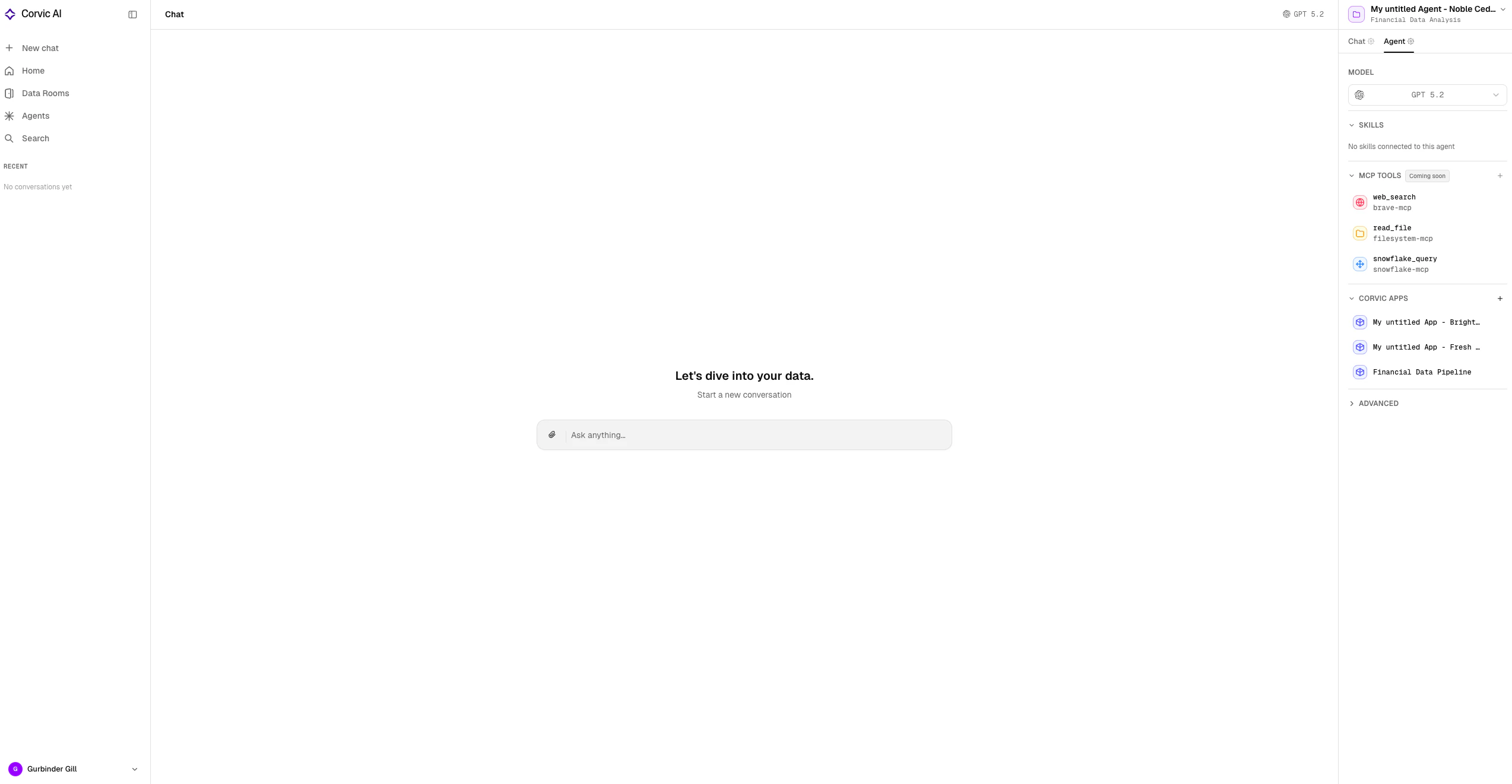
Related Documentation
Data Sources
Learn about uploading and managing data sources.
Agents
Learn about configuring and using agents.
Corvic Tables
Create Corvic Tables for distributed processing and data transformations.
Spaces
Generate embedding spaces from Corvic Tables.