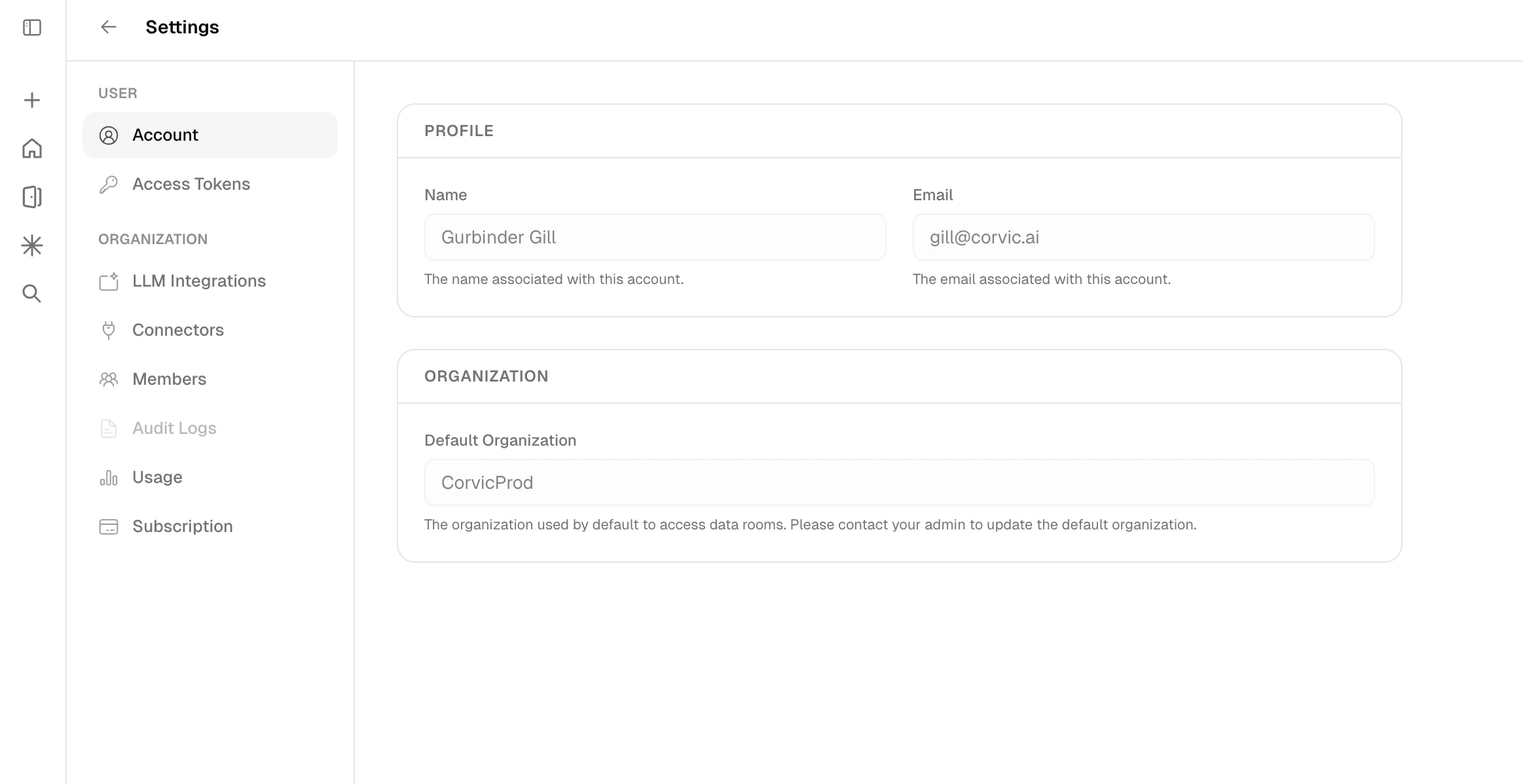
The Settings page allows you to manage your account profile, access tokens, and organization-level configuration including LLM integrations, data connectors, team members, audit logs, usage tracking, and subscription plans. Access Settings by clicking the Settings icon in the navigation sidebar.
Settings page showing account profile and organization configuration
The Settings sidebar is organized into two sections: User
  • Account — View and manage your profile name, email, and default organization
  • Access Tokens — Generate and manage API access tokens
Organization
  • LLM Integrations — Add custom LLM endpoints
  • Connectors — Configure external data connectors
  • Members — Invite and manage team members
  • Audit Logs — Review organization activity
  • Usage — Monitor agent and computational usage
  • Subscription — View and manage your plan

Data Connectors

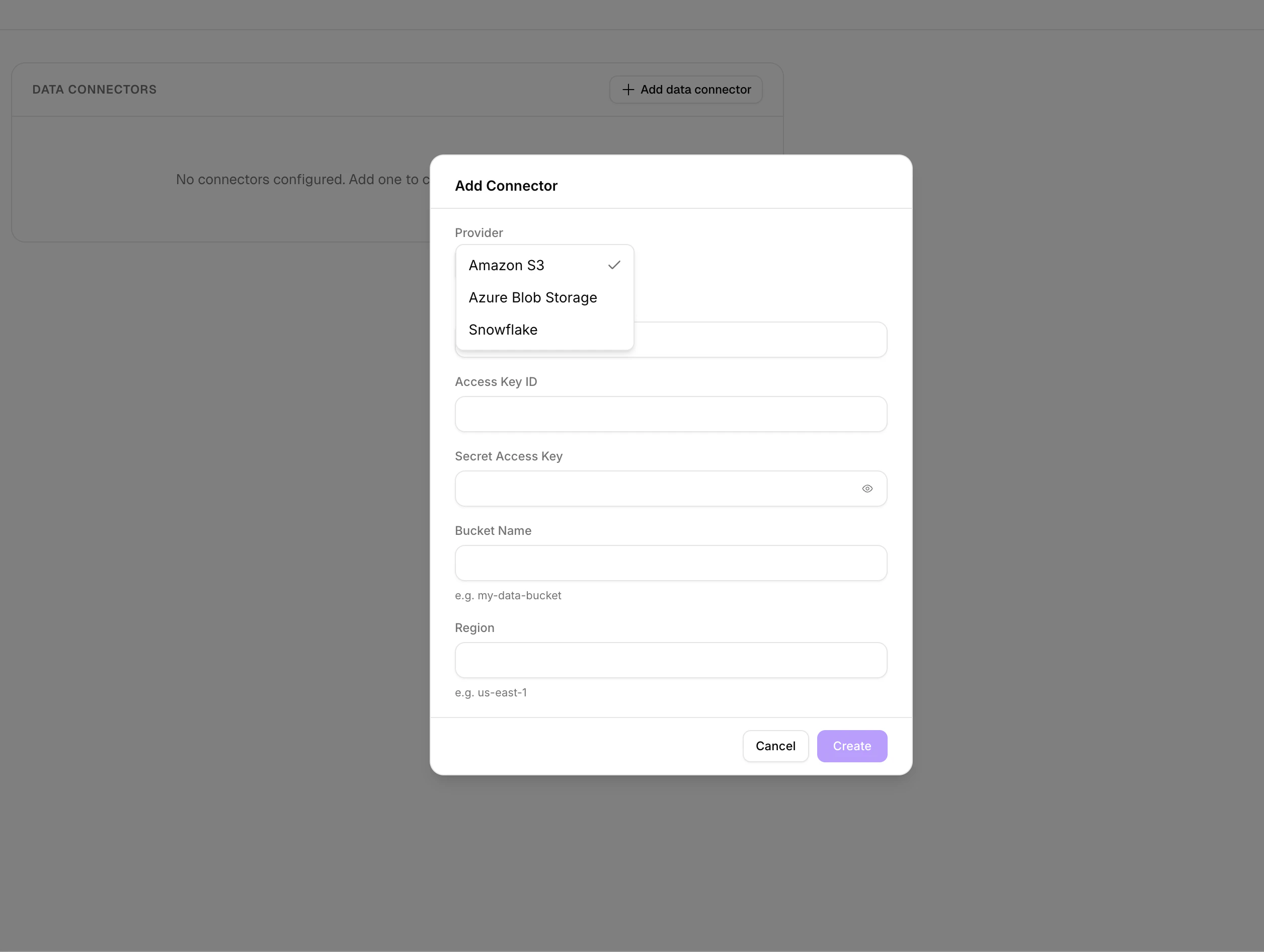
Connect external data sources to seamlessly integrate your data into AI workflows. Corvic supports the following providers:
  • Amazon S3
  • Azure Blob Storage
  • Snowflake
To add a new connector, click + Add data connector, select your provider, and fill in the required credentials. For Amazon S3, provide your Access Key ID, Secret Access Key, Bucket Name, and Region. For Azure Blob Storage, provide the Account URL, container path, and authentication credentials.
Add Connector dialog with provider selection and credential fields
You can validate, edit, or remove connectors at any time. Use the Validate action to verify that credentials and paths are correctly configured before using the connector in your data rooms.
Data Connectors can be added, edited, or removed only by Admins of an organization.

LLM Integrations

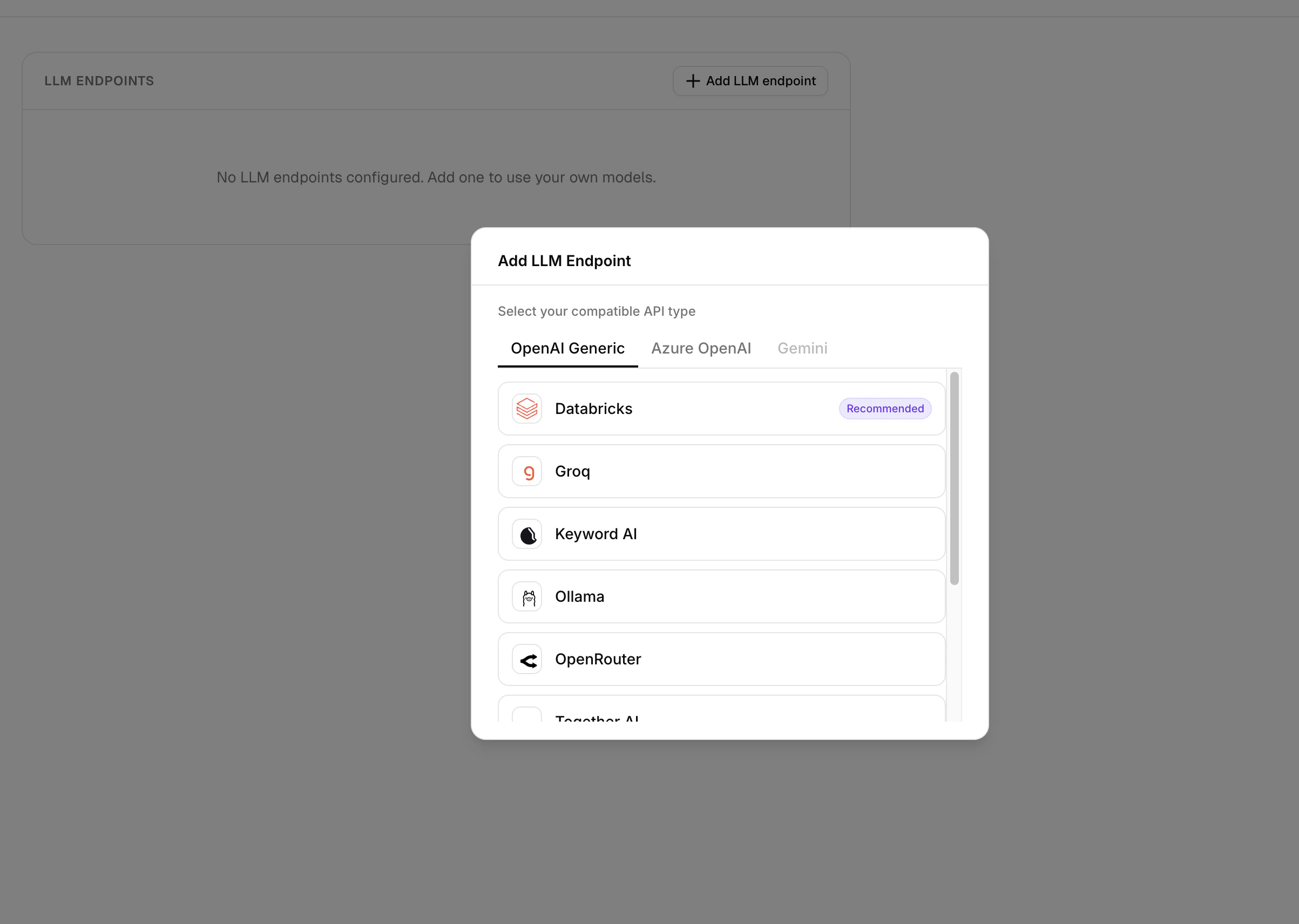
Bring your own Large Language Model for agent completions. Click + Add LLM endpoint and choose your compatible API type:
  • OpenAI Generic — Works with: Databricks (Recommended), Groq, Keyword AI, Ollama, OpenRouter, Together AI
  • Azure OpenAI — Connect to Azure-hosted OpenAI deployments
  • Gemini — Connect to Google Gemini models
Select a provider, then fill in the required endpoint URL, model name, and API key to complete the setup.
Add LLM Endpoint dialog showing API types and provider options
You can validate your endpoint to ensure the connection is properly configured, and edit credentials at any time.
LLM Integrations can be added, edited, or removed only by Admins of an organization.

Member Management

Invite new users to your organization, assign roles, and manage access levels. Go to the Members section in Settings to manage your team. To invite new members, click Invite Members, enter the user’s email address, and assign a role. The invited member will receive an email with a link to join. You can track pending invitations under the Pending tab and view active members under the Joined tab. Admins can edit roles of existing users (Admin or Member) and remove members when needed. The organization must always have at least one admin.
An organization can only have 10 members on the Premium plan.

Usage

The Usage section provides a comprehensive view of your organization’s resource consumption. The overview dashboard shows current usage across all key metrics — Total Storage, Pages Parsed, Rows Parsed, and Total LLM Queries — with progress bars against your plan limits. Below that, the Metered Rooms table lists each data room with its total data size, last modified date, and status.
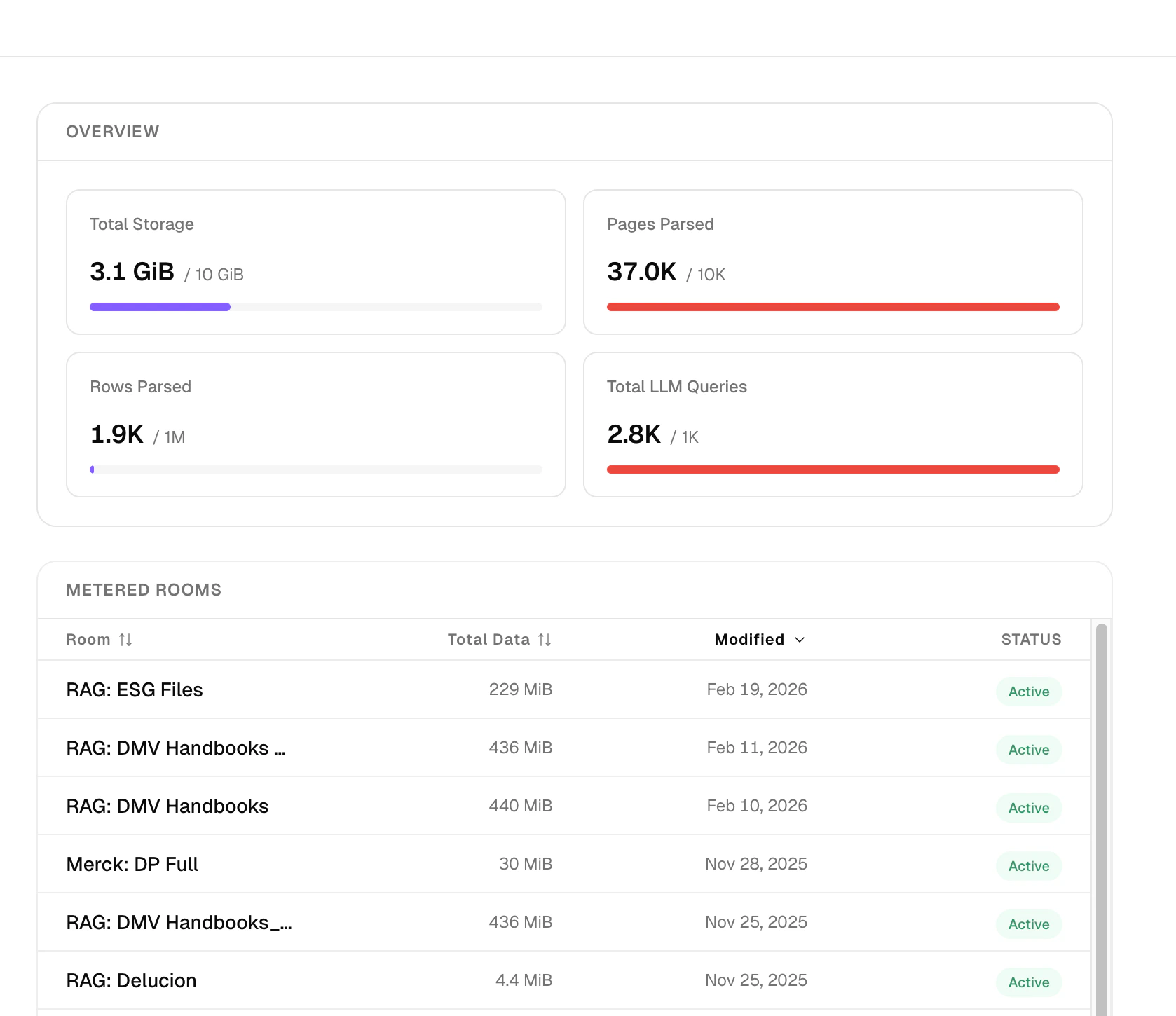
Usage overview showing storage, pages parsed, rows parsed, LLM queries, and metered rooms
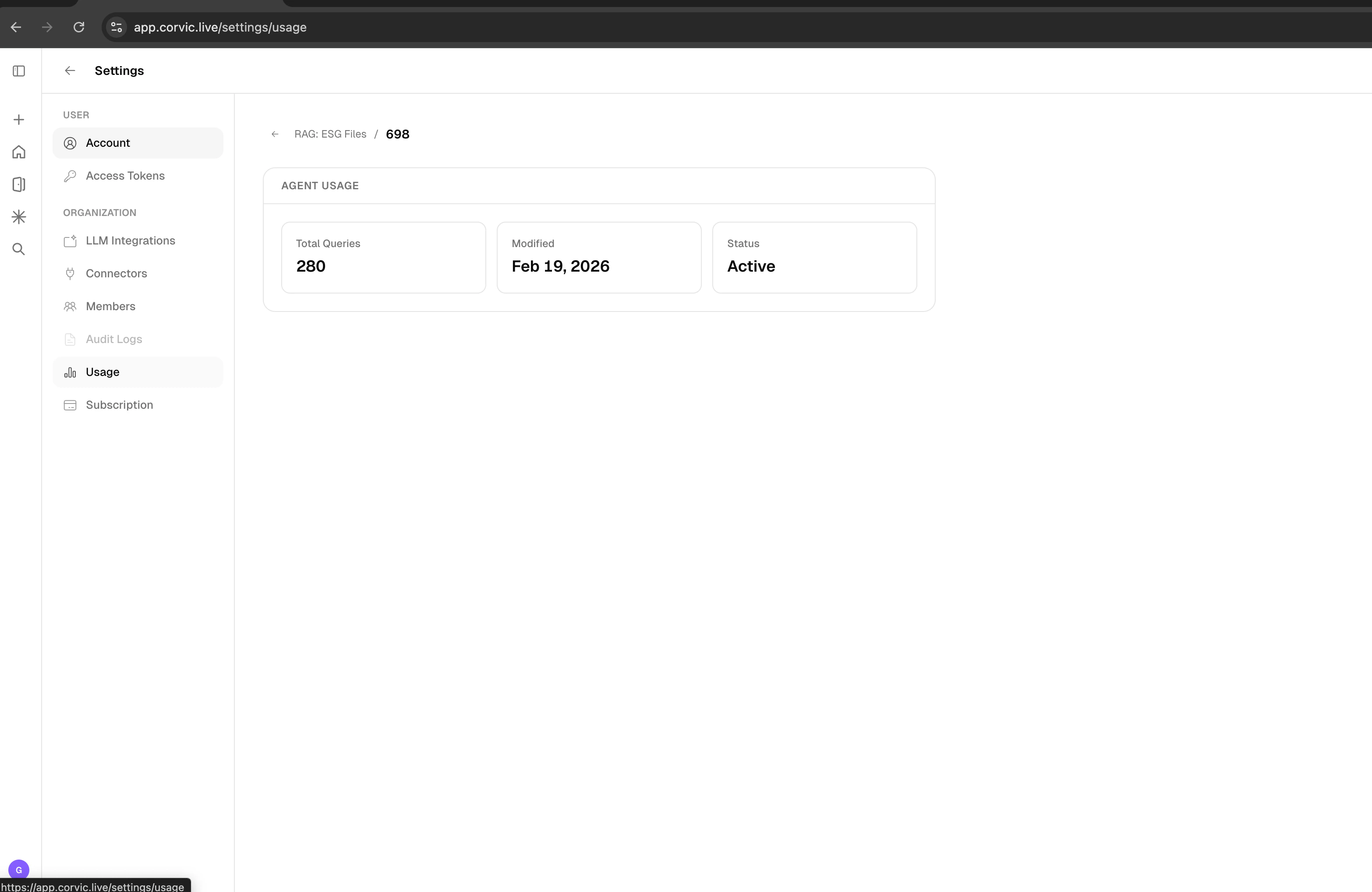
Click into any room to view per-agent usage statistics including total queries, last modified date, and current status.
Agent Usage dashboard showing total queries, modified date, and status

Subscription Plans

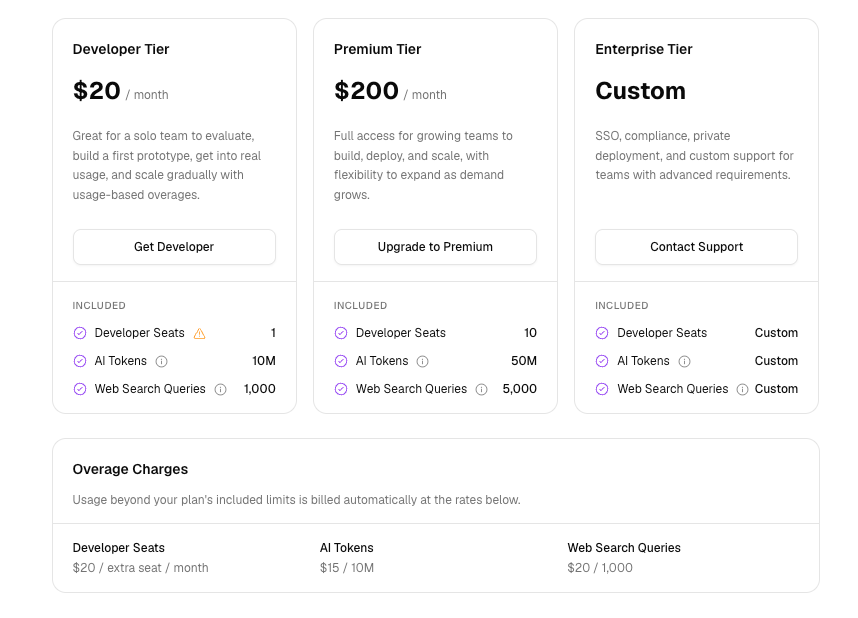
Corvic offers two subscription tiers: Premium and Enterprise.
Subscription plans showing Premium and Enterprise tiers
The Premium plan is priced at $1,000 per month and includes:
  • Developer Seats: Up to 10
  • Production Agents: 1
  • Storage: Up to 10 GiB
  • Pages Parsed: Up to 10K
  • Rows Parsed: Up to 10M
  • Queries: Up to 10K
  • Multi-modal parsing
  • Intelligent image/table GenAI labeling
  • Multi-space embeddings generation
  • Multi-modal agents
  • API access
  • Premium support
The Enterprise plan includes:
  • Developer Seats: Unlimited
  • Production Agents: Unlimited
  • Storage: Unlimited
  • Pages Parsed: Unlimited
  • Rows Parsed: Unlimited
  • Queries: Unlimited
  • Multi-modal parsing
  • Intelligent image/table GenAI labeling
  • Multi-space embeddings generation
  • Multi-modal agents
  • API access
  • Enterprise support
  • Training package
  • Dedicated professional services
All users are initially onboarded with a 30-day free trial of the Premium plan. After the trial ends, access to certain features will be restricted until the user upgrades.

User Access

Learn about user access and account setup.

Rooms

Learn about creating and managing data rooms.