

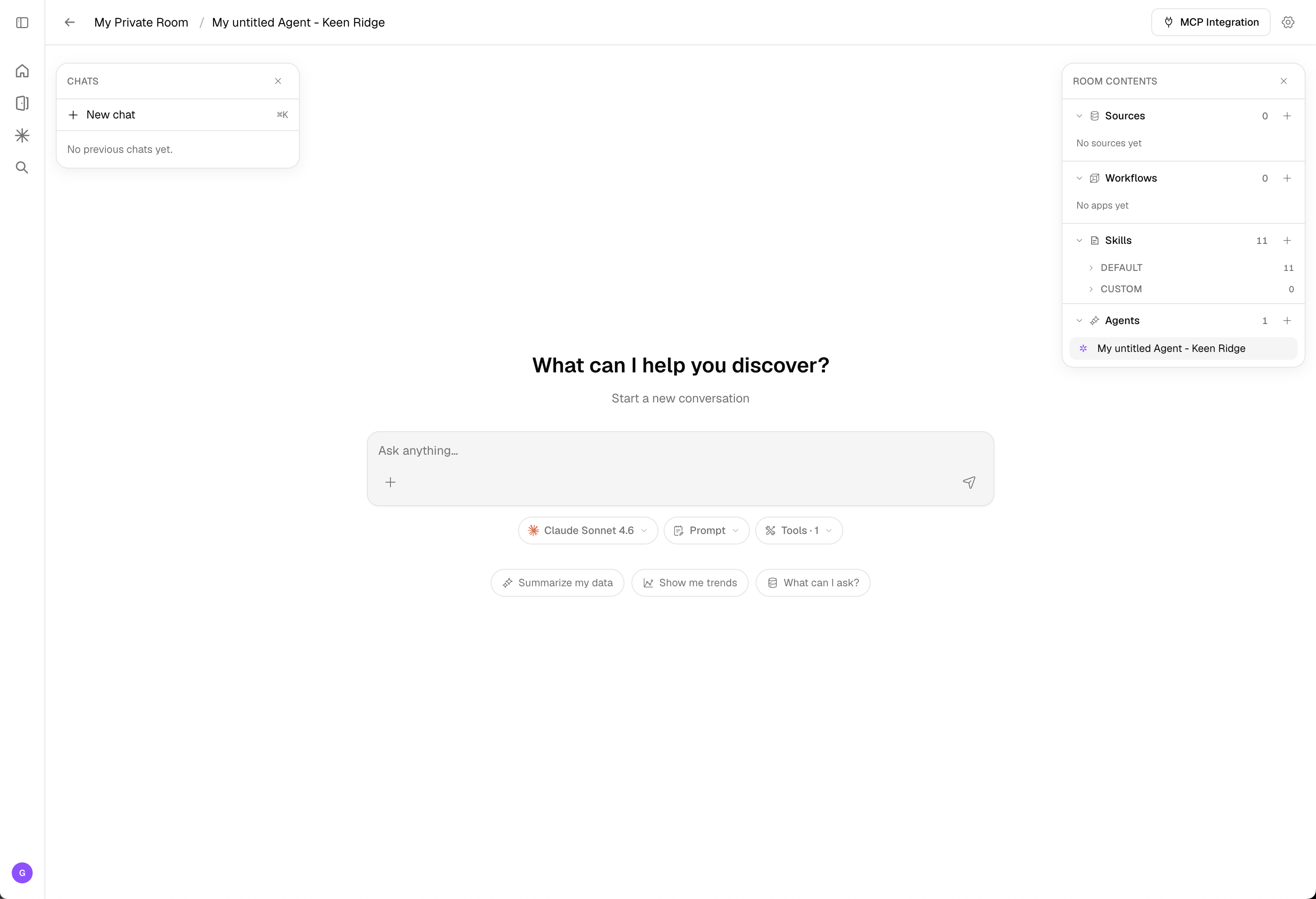
How the agent helps
There’s no mode toggle to manage. Based on your request and the data in the room, the agent works in one of two ways:Exploration
The agent automatically inspects your connected data and helps you explore and analyze it — answering questions, surfacing patterns, and generating insights and artifacts grounded in your data.
Workflows
When the agent recognizes a common, repeatable pattern, it builds a persistent workflow for it. Recurring operations are amortized so you don’t reprocess the same steps each time — saving both processing time and token cost.
You don’t pick exploration vs. workflows — the agent decides. Exploration is ideal for open-ended analysis; workflows make the operations you repeat efficient and durable.
Adding data
Add data without leaving the room:- Use the add data source menu in the chat to upload files or connect a data source.
- Drag and drop files directly onto the page — they’re uploaded into the room.
Room contents
The Room contents panel lists everything in your room, organized into four types. You can create as many of each as you need.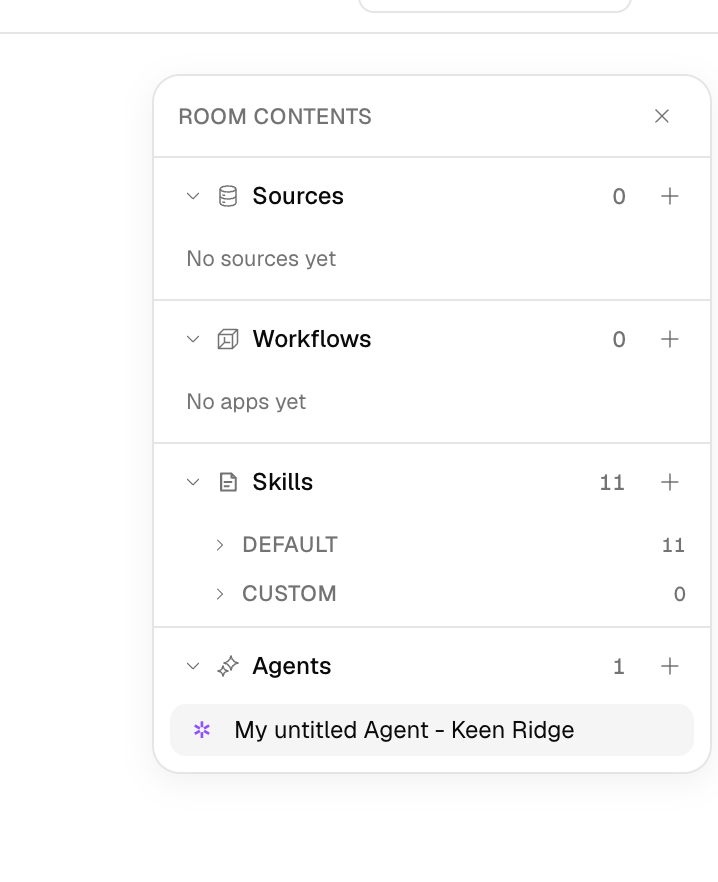
Data sources
The data you bring into the room — uploaded files, connected storage buckets and databases, and live web sources. Everything the agent reasons over starts here. See Data Sources.
Workflows
Saved, repeatable pipelines that process and transform your data. The agent builds these for you when it spots a recurring pattern, or you can open and edit them on the Workflow canvas.
Skills
Reusable capabilities that extend what your agents can do, grouped into Default skills (provided with every room) and Custom skills you add or promote from a conversation.
Agents
The assistants that explore your data and run workflows. A room can hold multiple agents, each with its own configuration. See Agents.
Model & tools
Right below the chat input you control how the agent responds: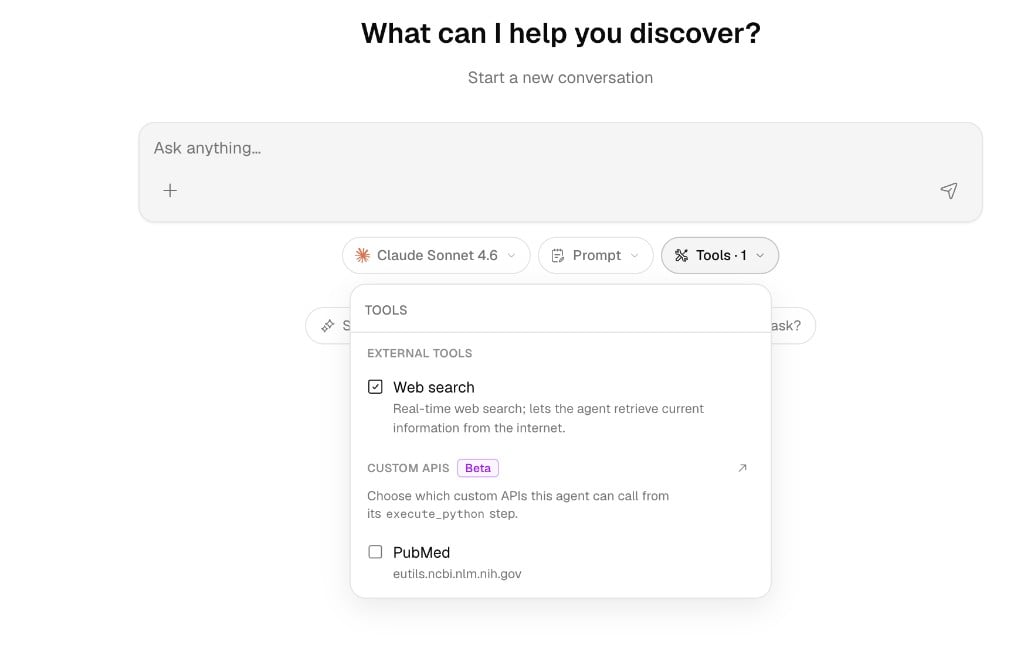
- Model — Choose the completion model that powers the agent’s responses (for example, Claude Sonnet 4.6). If your organization has custom LLM endpoints configured, they appear here too.
- Prompt — Adjust the instructions that frame how the agent behaves for the conversation.
- Tools — Toggle the capabilities the agent can use:
- External Tools — built-in tools like Web search, which lets the agent retrieve current information from the internet in real time.
- Custom APIs (Beta) — choose which connected APIs the agent can call from its
execute_pythonstep (for example, PubMed). Connect new ones in the API Secret Vault.
The docked canvas
When the agent builds a workflow — or you open one — the Workflow canvas docks inside the room rather than opening a separate page. This keeps your conversation, room contents, and the workflow side by side.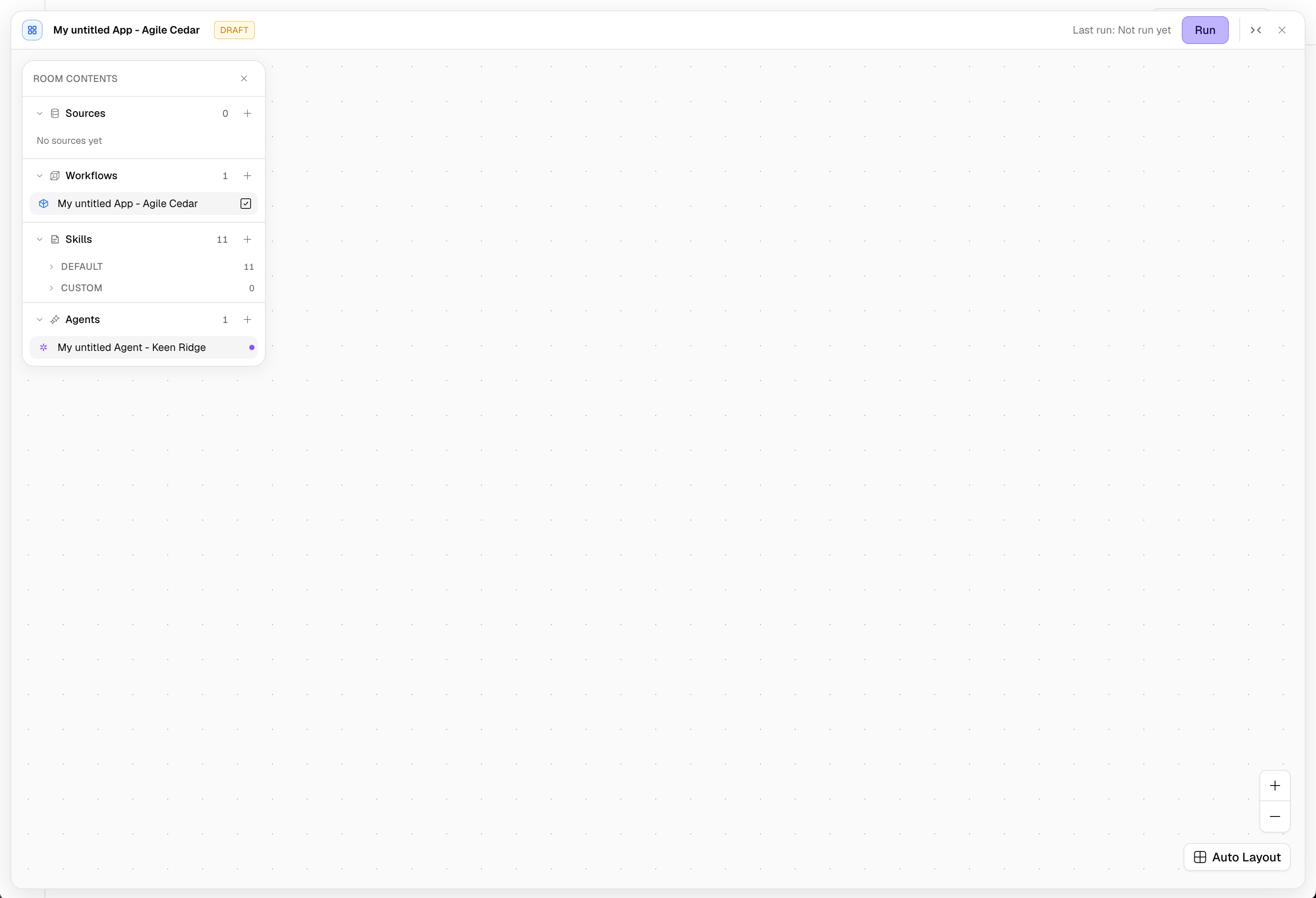
Launch a Playbook
Beyond open-ended chat, you can run a Playbook — a reusable, multi-stage plan the agent executes for you. Open the Playbooks menu in the composer (or the gallery), fill in a few light inputs, and watch the stages run live. Playbooks are ideal for the recurring, multi-step work your team does every week: diligence reports, financial reconciliations, competitive research, and data preparation.Shared chats
Any chat thread can be shared as a read-only public link, and the artifacts a thread produces can be shared individually. See Sharing.Related Documentation
Playbooks
Run reusable, multi-stage plans from room chat.
Room Templates
Start the room experience from a pre-built template.
Agents
How agents reason over your data and tools.
Workflows
The workflows the agent builds on the canvas.
Sharing
Share chat threads and artifacts.