

Overview
Web Augment is an augmentation method that enriches your Corvic Tables with information gathered from web searches. Instead of manually researching and adding data, describe what you need in natural language and Corvic will search the web, extract relevant information, and add it to your table — all automatically. This is ideal for enriching datasets with external context such as company information, market data, product details, competitor analysis, or any publicly available information.Method Selection
In the Augment action, select Web Augment from the Method dropdown. The Augment action supports three methods:- AI Augment — Use LLMs to transform and enrich data
- Web Augment Beta — Enrich data using web search results
- Code Augment — Use code-based transformations
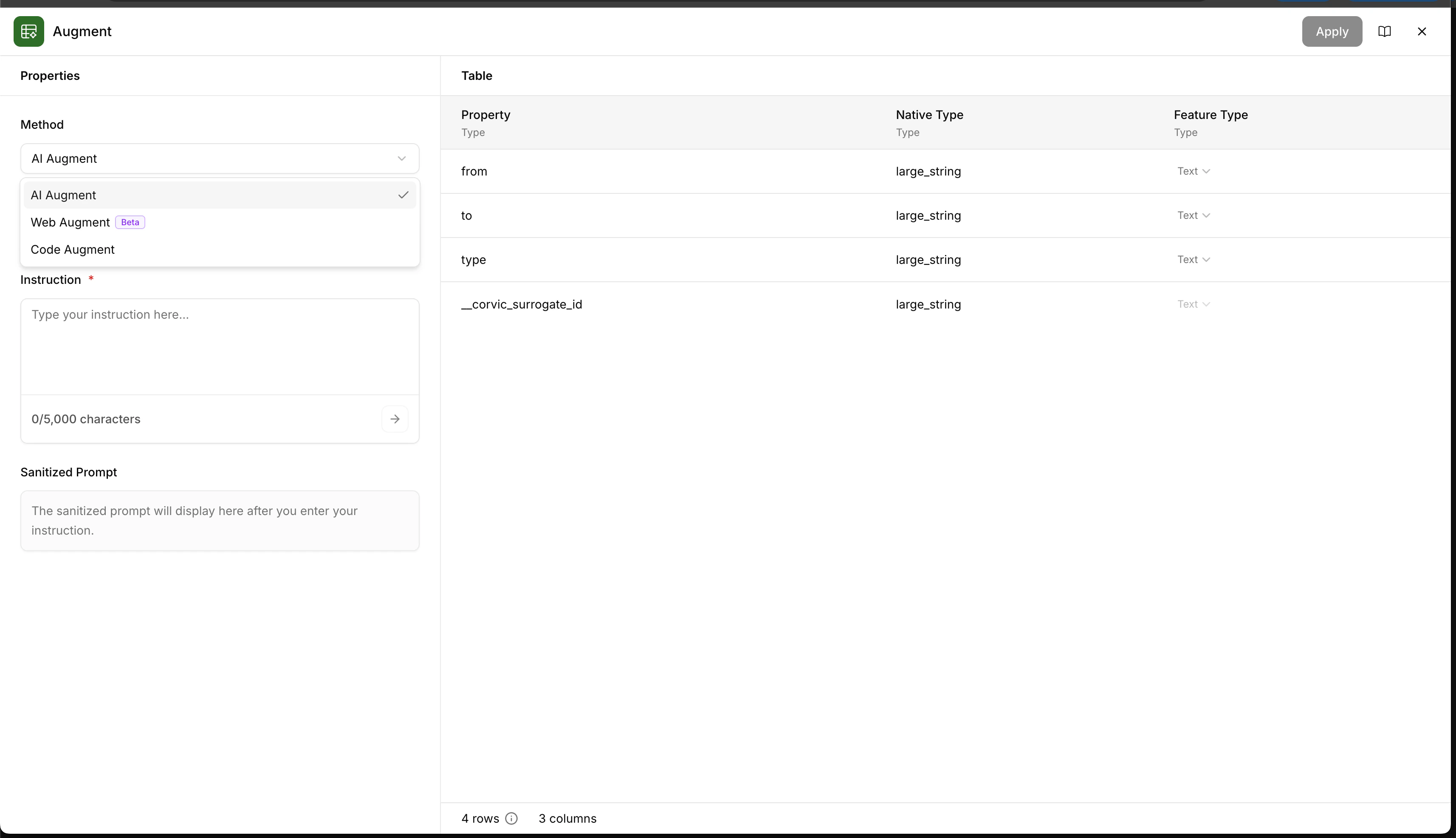
Configuration
Web Processor
Choose a web processor tier based on your needs:- base — Basic web search and extraction
- core — Enhanced processing with better extraction quality
- pro — Advanced processing with highest quality results (Enterprise only)
Instruction
Provide a natural language instruction describing what information you want to extract from the web for each row in your table. Be specific about what data points you need — the more precise your instruction, the better the results. The Sanitized Prompt section shows a preview of the processed instruction that will be sent to the web search agent.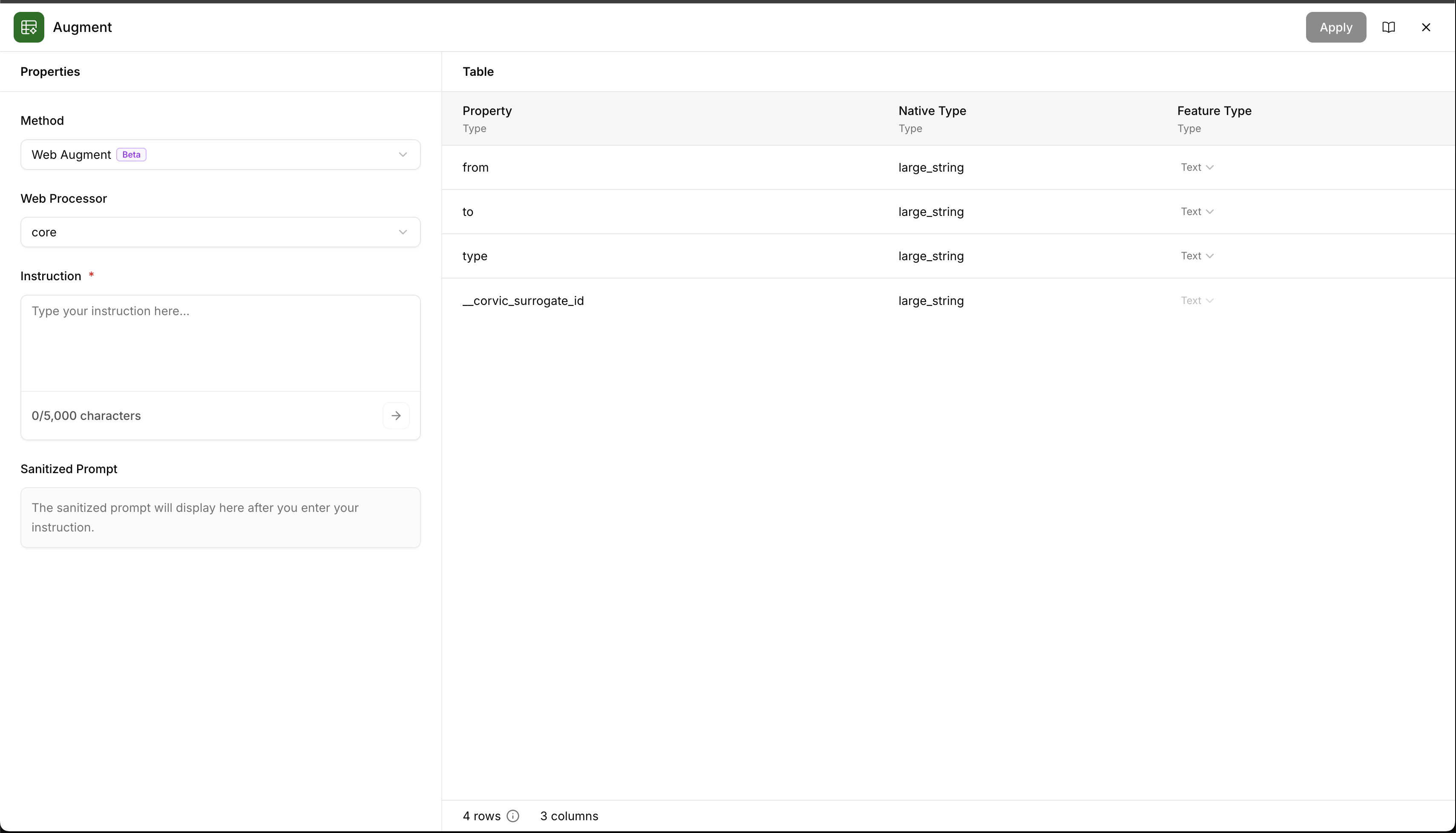
Processor Selection
Expand the Web Processor dropdown to select your preferred tier. The table preview on the right shows the properties, native types, and feature types of your input Corvic Table so you can reference the correct columns in your instruction.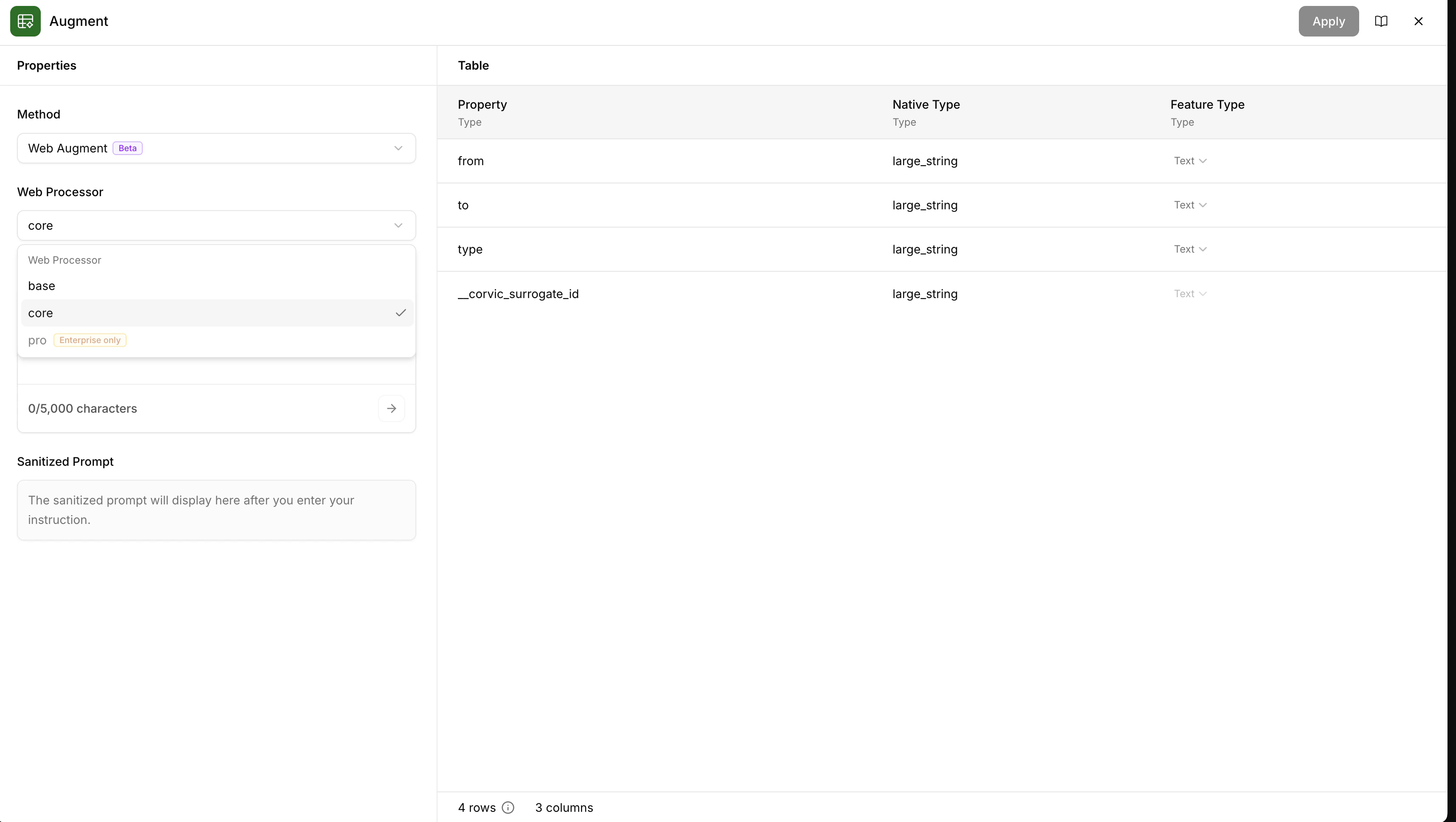
Parameters
Usage Example
To use Web Augment in a Workflow:- Add your Corvic Table to the Workflow canvas
- Click the ”+” button next to the Corvic Table
- Select “Augment” from the actions menu
- Choose Web Augment from the Method dropdown
- Select a Web Processor tier (base, core, or pro)
- Write an instruction describing what information to search for
- Review the sanitized prompt
- Click Apply and run the Workflow
Related Documentation
LLM Augment
Augment data using LLM-based transformations.
Code Augment
Augment data using code-based transformations.
Workflows
Learn how to build workflows using Workflows.
Corvic Tables
Understand how Corvic Tables work.